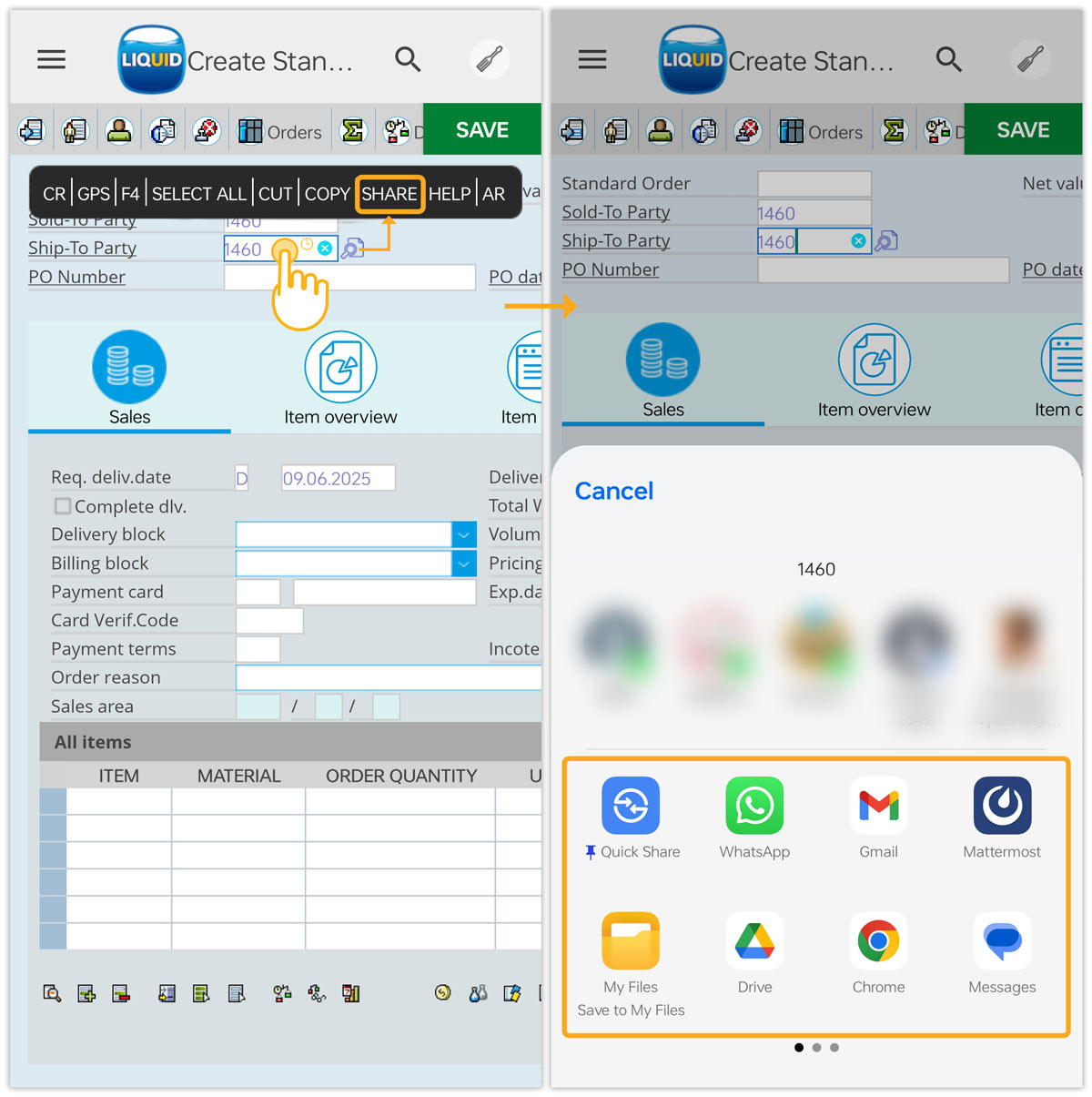


The Share option in Liquid UI for Android enables users to share SAP data directly from their mobile devices via email, messaging applications, and other channels.
Please follow the steps below to learn how to use the Share option:
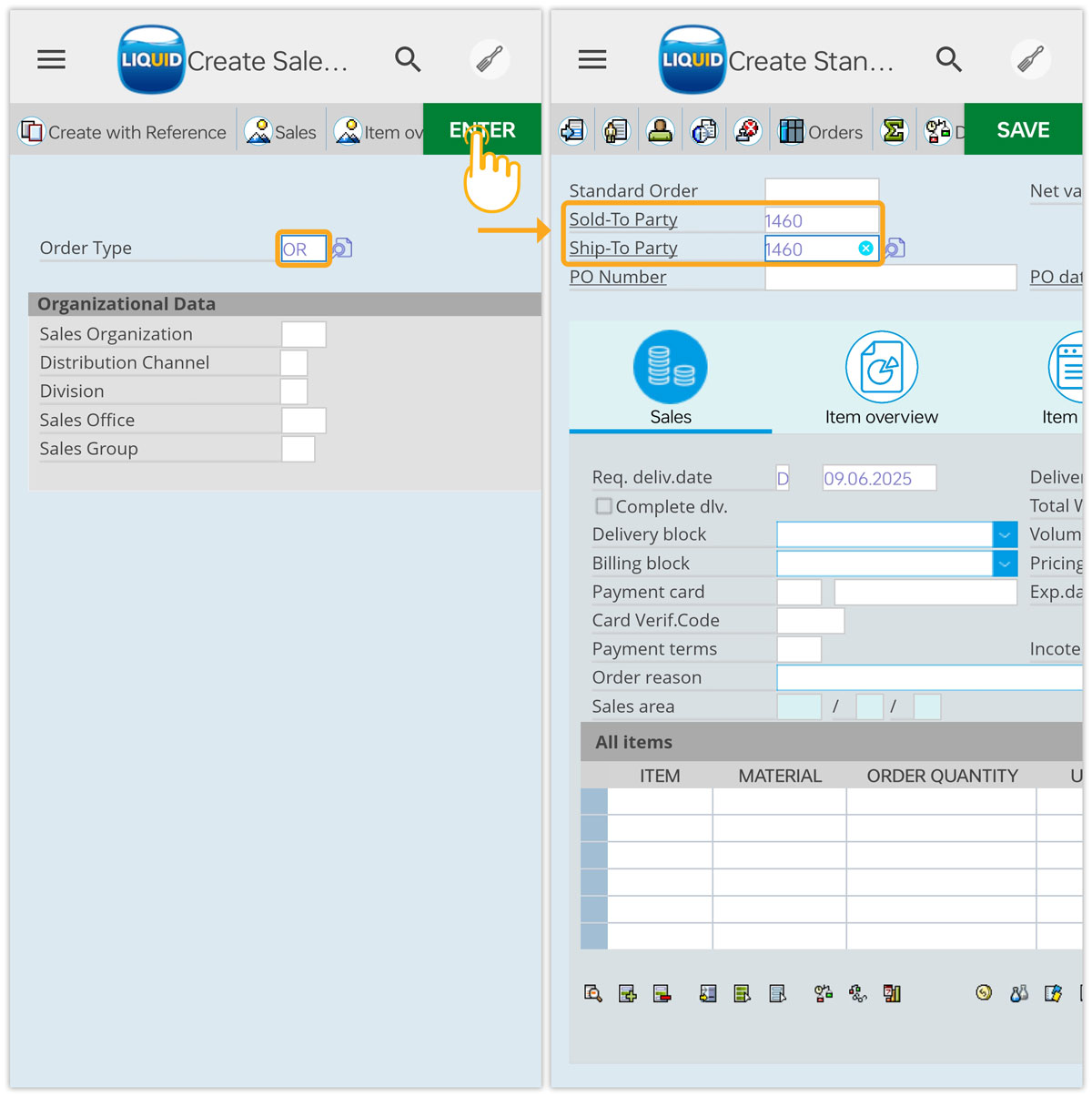
- Navigate to the desired transaction (here, we are considering the Create Sales Order (VA01) screen to showcase the option), enter OR in the Order Type input field, and click Enter. Enter the values in the Sold-To Party and Ship-To Party input fields.
- Now, long-press on the input field and then select Share from the appeared pop-up. Choose the desired application to share through, and proceed, as shown in the image below.