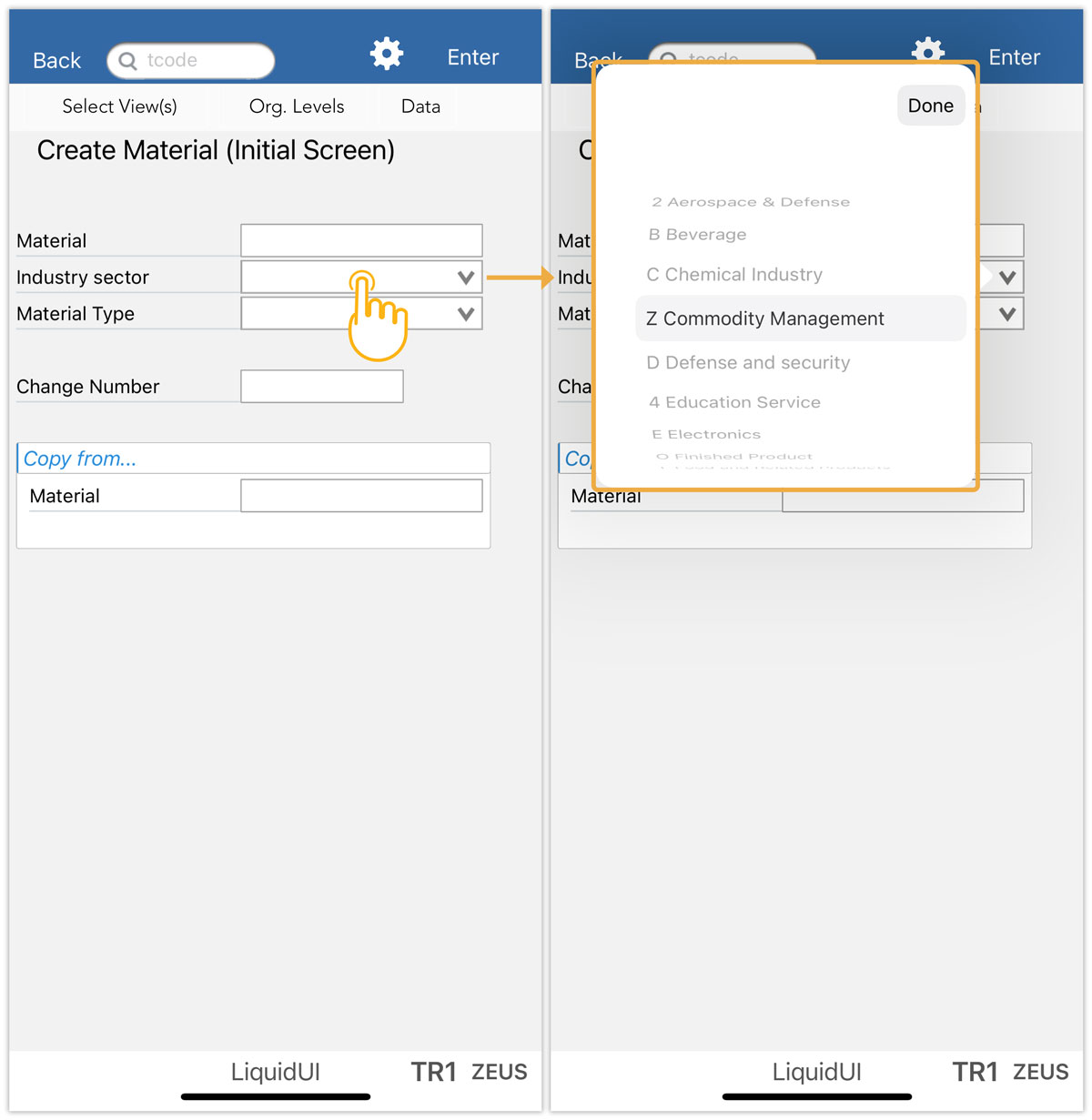


Combo box in the Liquid UI for iOS is a user interface element that functions like a dropdown list, allowing users to select a value from a predefined dropdown list of options.
Combox appears different in SAP GUI and Liquid UI for iOS.
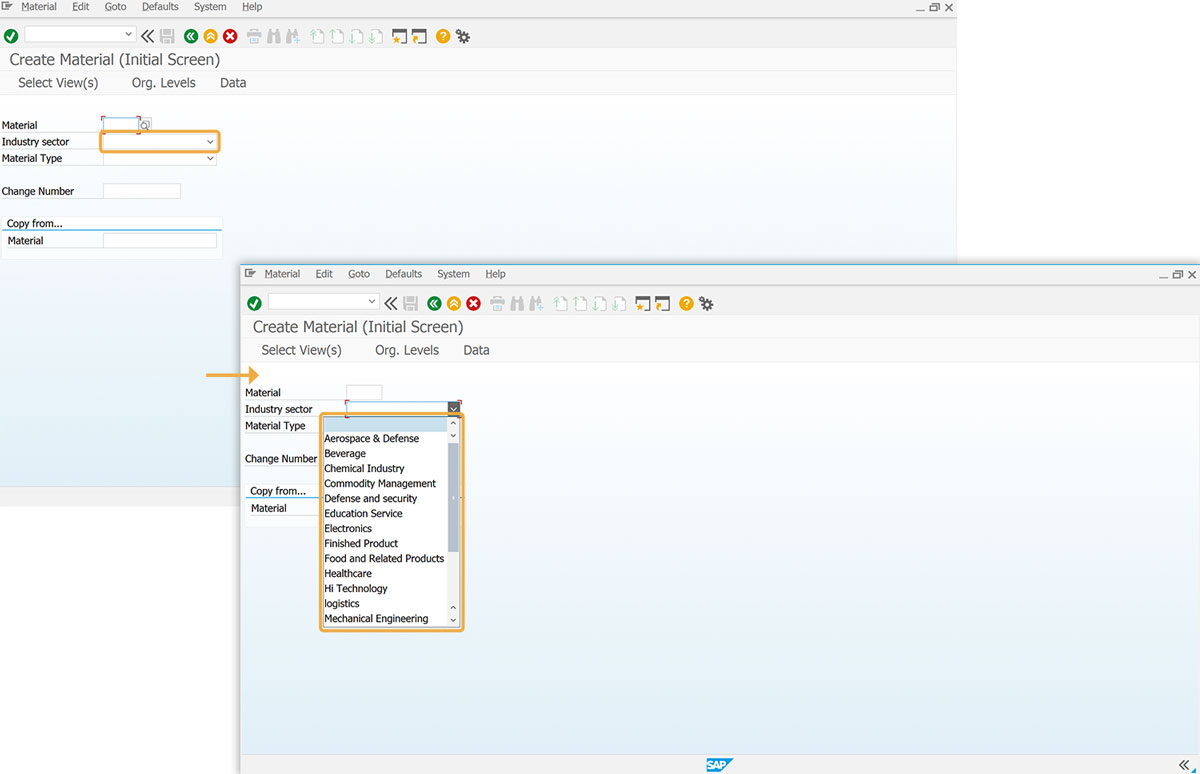
SAP GUI
- On the MM01 screen, click the dropdown icon in the Industry sector field, and then the dropdown list appears, as shown in the image below.
Liquid UI for iOS app:
- Open Liquid UI for iOS, and navigate to the MM01 screen. Click on Industry sector field, and then a popup will display, as shown in the image below.