

Prerequisite
- Configure Liquid UI Server
- Configure Liquid UI Client
- A valid X.509 certificate to support directory access control
Liquid UI provides a highly secure communication pathway between your SAP Server and the Liquid UI for iOS on your device. Utilizing TLS 1.3 encryption ensures the utmost security during data transmission.
To enhance security further, Liquid UI integrates a specialized function within its library to authenticate encryption keys when data is received from the server. This meticulous verification process ensures the integrity and confidentiality of data. Upon successful identification of a valid encryption key, a secure connection flag is set, and the TLS state is initialized. Additionally, TLS 1.3 seamlessly manages socket communication, providing extra layers of security.
To enable TLS on iOS, please do the following:
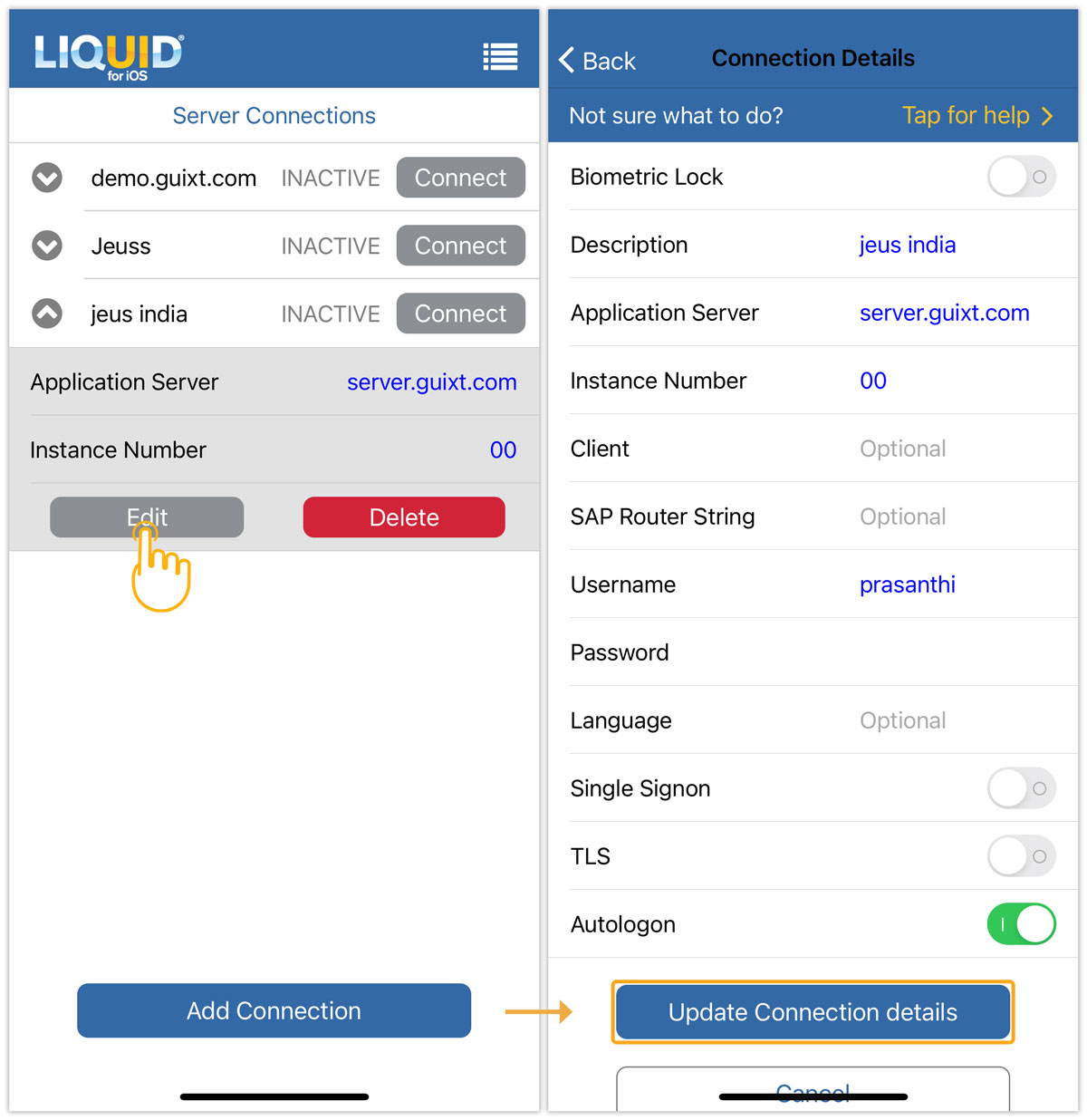
- Open Liquid UI for iOS, and click Edit. Then, enable the TLS option and click Update Connection details, as shown in the image below.

Note: The selection of certificates stores data from the server in a file. This process establishes a connection between a server and TLS.
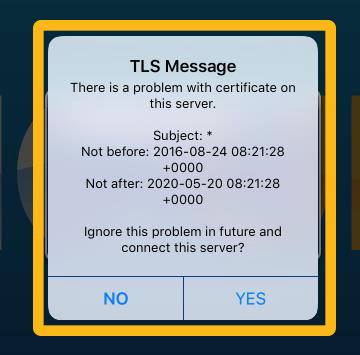
- In case of any trouble with certificate information, an error message pops up, as shown below. Click YES to connect by resolving the certificate validation problem and updating the local certification lists.