


Purpose
Liquid UI for iOS now introduces enhanced security through the Biometric Lock feature, offering advanced authentication for a more secure user experience. This feature ensures that users verify their identity before accessing or editing sensitive data or connecting to their SAP server, thereby preventing unauthorized access. Once set up, users can log into SAP effortlessly using Face ID or their Device Passcode, eliminating the need for manual username and password entry.
The Biometric Lock feature offers a two-factor authentication process, allowing users to confirm their identity using the following options:
- Face ID
- Device Passcode
The Biometric Lock is implemented at the SAP connection level, meaning users cannot connect to their SAP server or access any SAP connection details without first verifying their identity. This ensures both data protection and user authentication.
Prerequisites
- Ensure the device supports Face ID or a passcode.
- Set up either Face ID or a passcode through your device’s security settings.
In this scenario, we’ll walk you through the steps to enable biometric authentication for SAP connections within the Liquid UI for the iOS app.
- On the Server Connections screen, tap on any Server and click Edit, as shown in the image below.
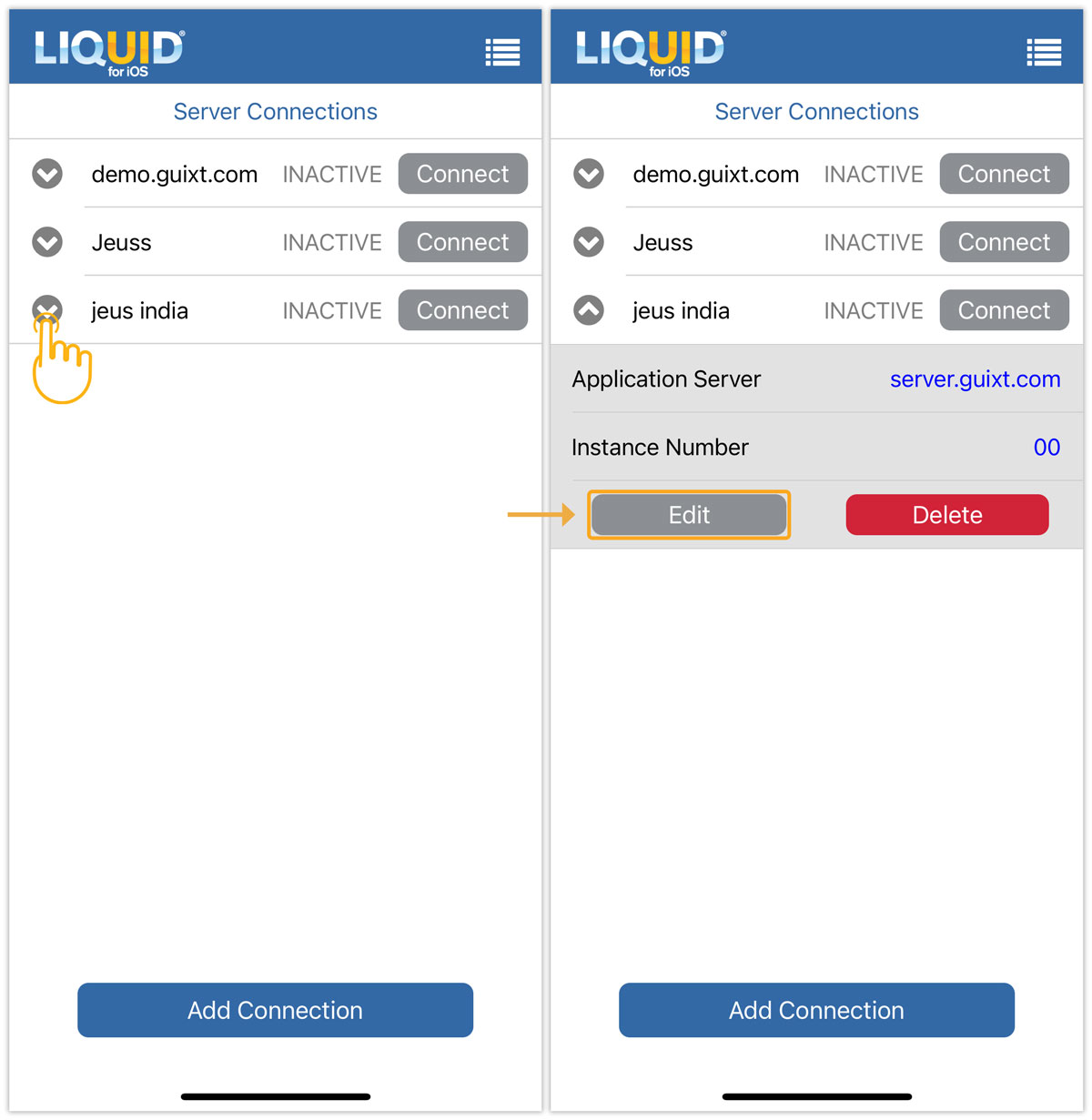

Note: You can also enable biometric lock while establishing a new SAP Connection.
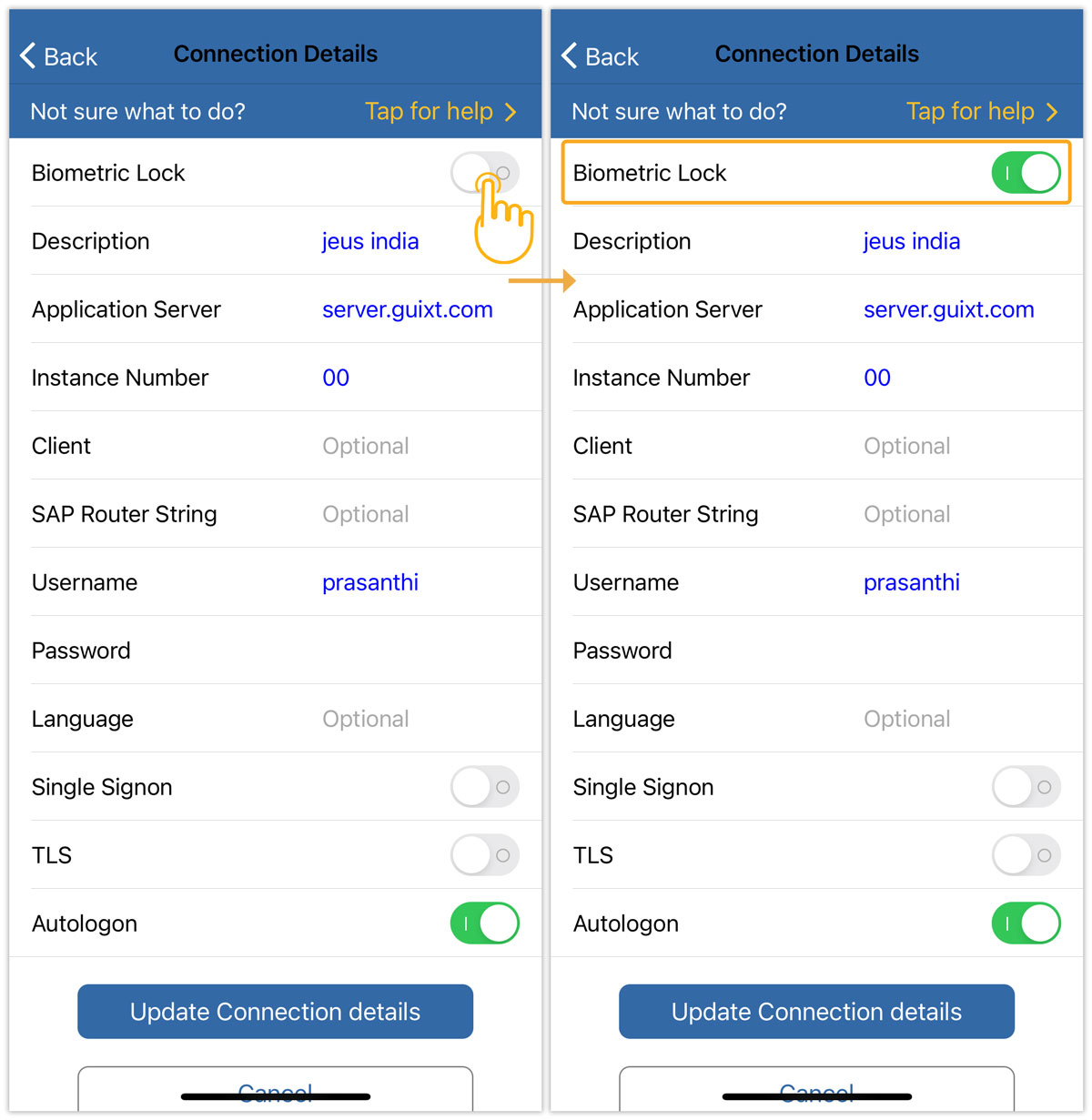
- On the Connection Details screen, enable the Biometric Lock option.
- A confirmation popup will appear, requesting access. Click Allow to proceed. Then, click Update Connection details.
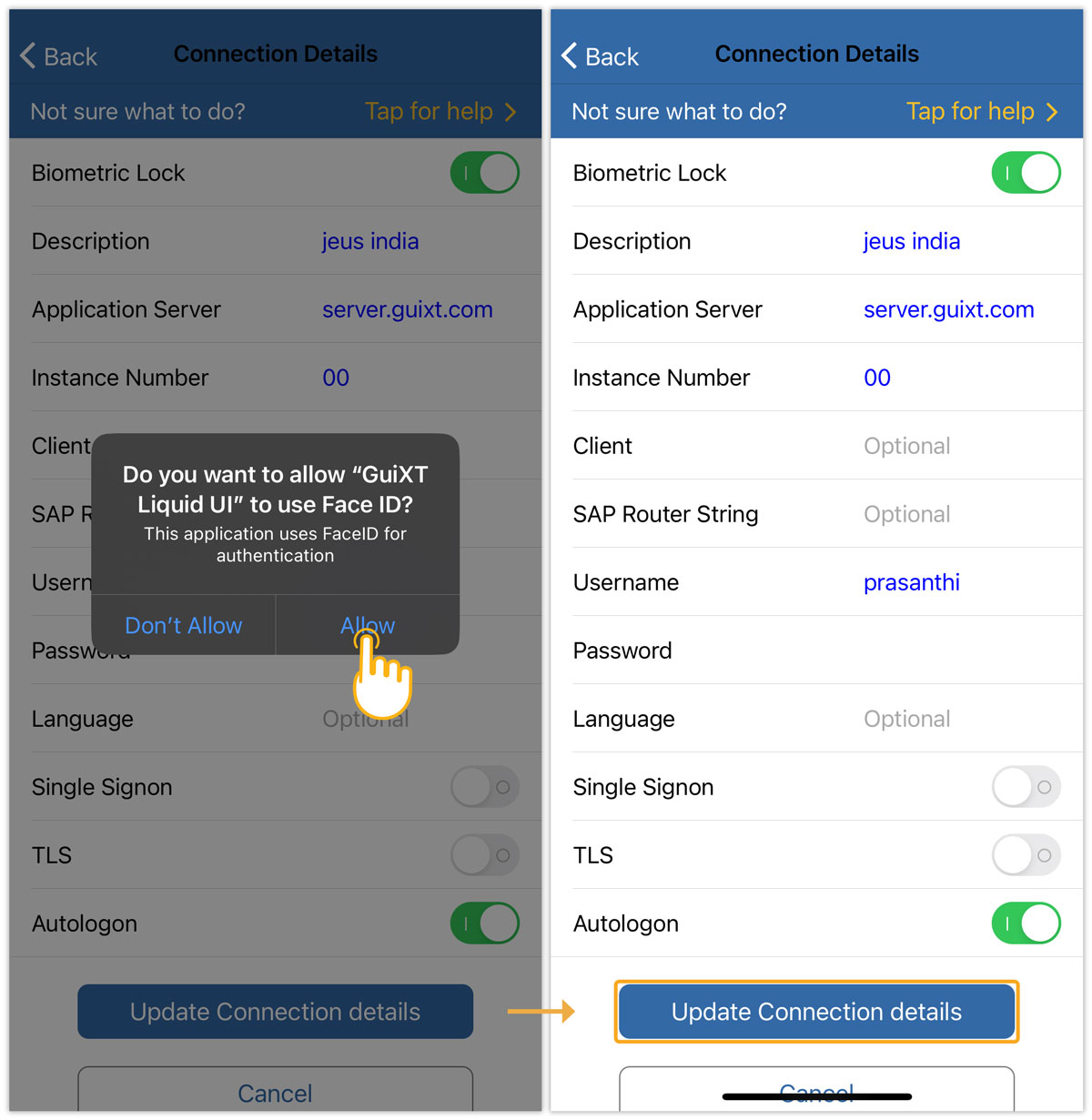
Note: Once the Biometric Lock is enabled, you must use the Face ID or device passcode to authorize the Liquid UI for iOS app to access and utilize your biometric credentials.
- Now, log in to confirm the functionality of the Biometric Lock.
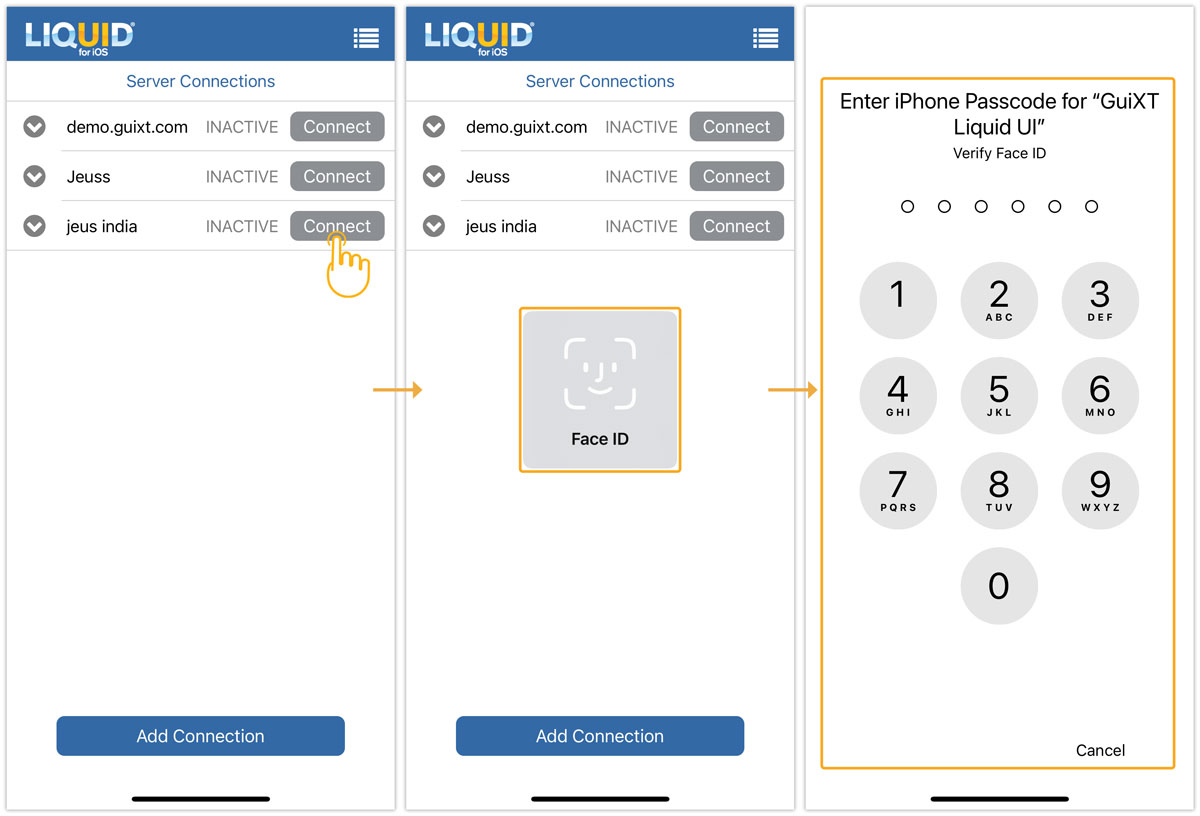
Note: Your SAP login credentials will remain the same as those used for your device screen lock.