

Purpose
The Electronic Signature feature of Liquid UI makes it easy and convenient for users to sign a document. It enables users to access and sign documents securely directly within SAP transactions. This eliminates the need for physical papers and administrative burdens, streamlining the review process and enhancing efficiency. By incorporating signature support within SAP, Liquid UI for iOS significantly improves process efficiency. Here are the key benefits that electronic signature support offers to SAP users:
- Enhanced security
- Paperless workflow
- Improve user convenience
- Privacy concerns addressed
- Easy to apply digital signature
- Way better experience for your clients
In this article, we’ll showcase how to use the electronic signature feature considering the Change Outbound Delivery screen (VL02N) and attach a signature file to the transaction.
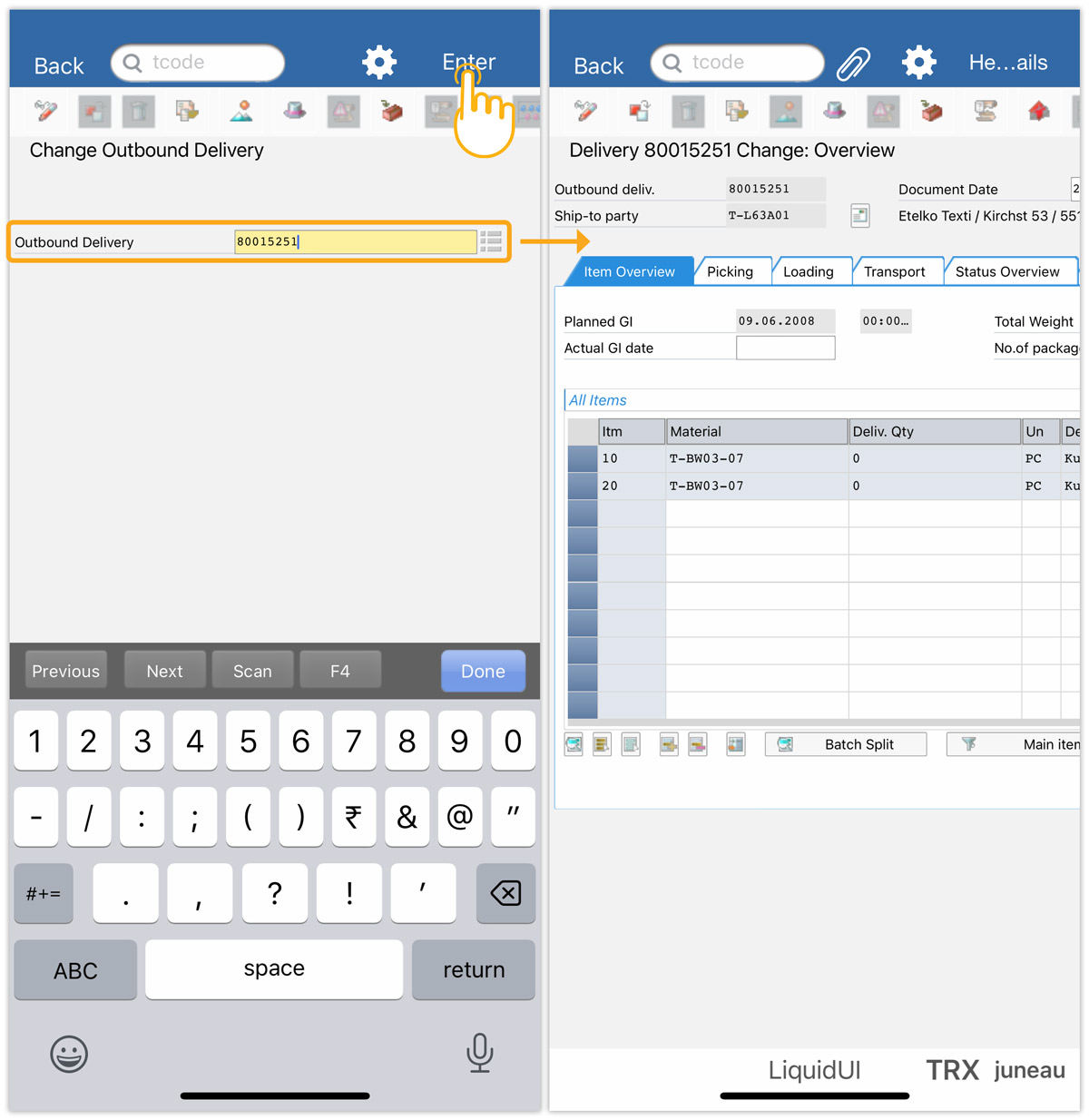
- Navigate to the Change Outbound Delivery (VL02N) screen; enter the Outbound Delivery number and click Enter to proceed.
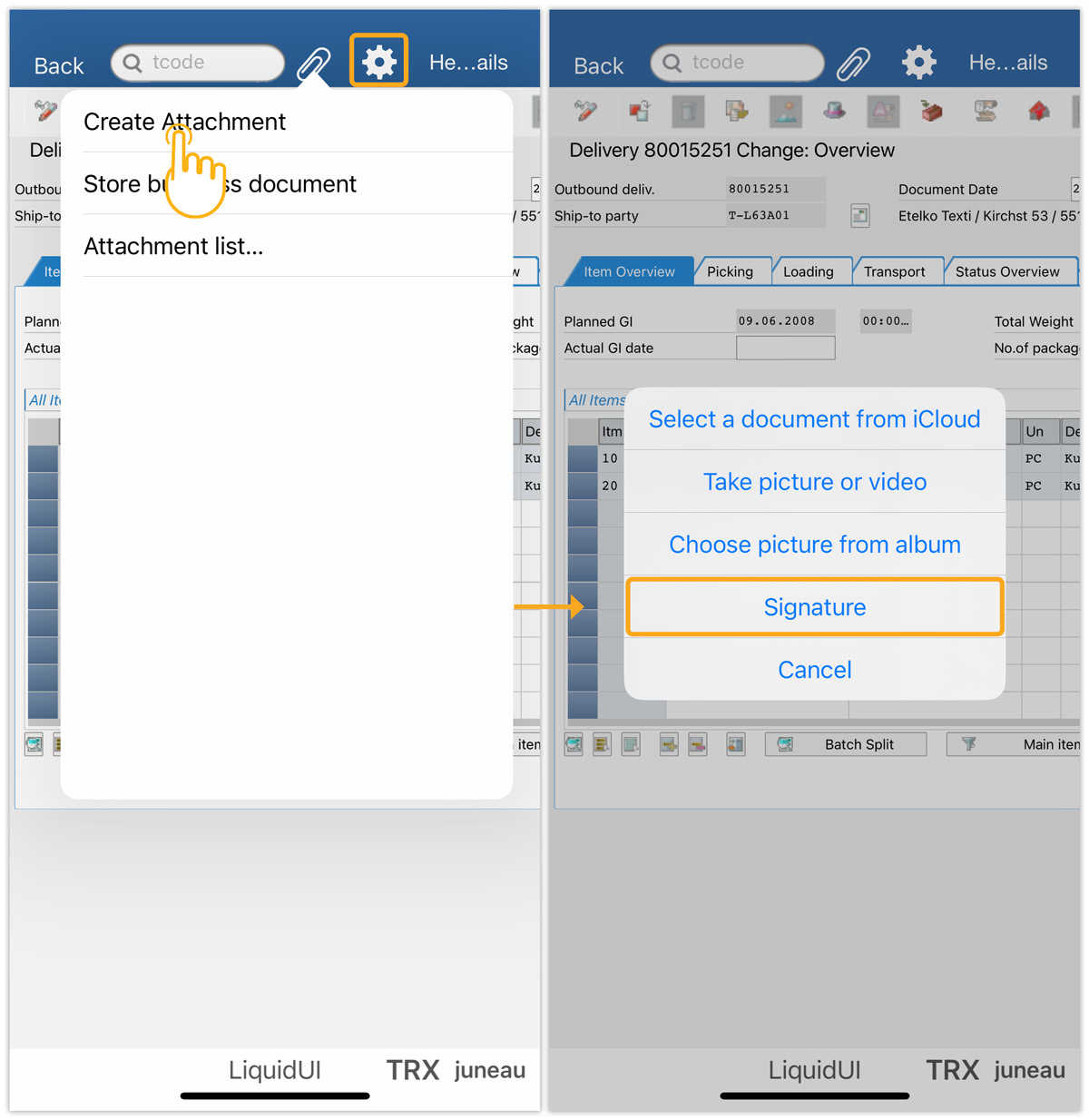
- Click the Attachment symbol, then Create Attachment, and choose the Signature option, as shown below.
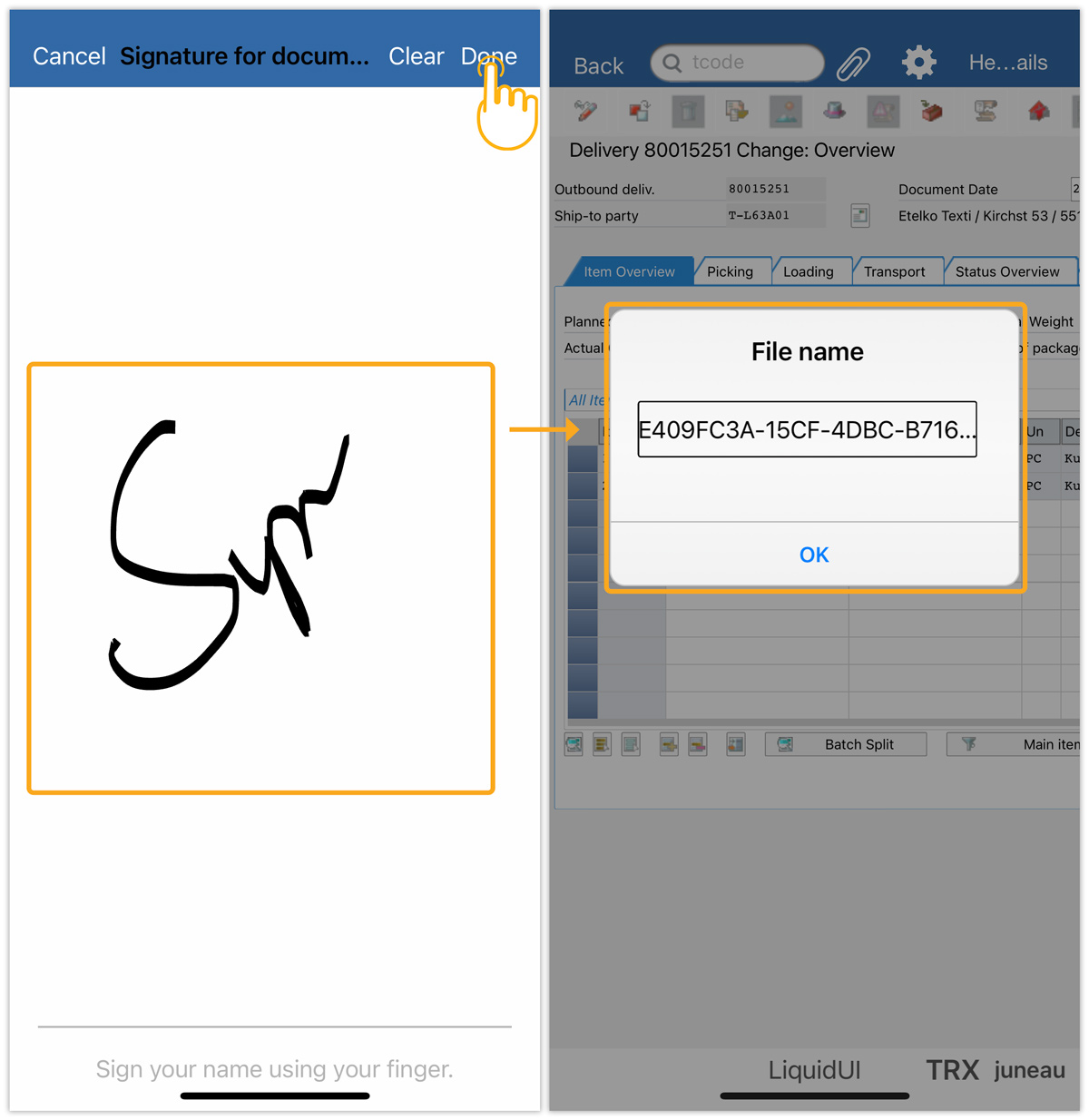
- The digital pad appears, to proceed, sign on the screen, and tap DONE, to view the file name. Edit the file name as per requirement, and click OK to save it as an attachment, as shown in the image below.