Mobilize Your Entire SAP ERP in 30 Seconds
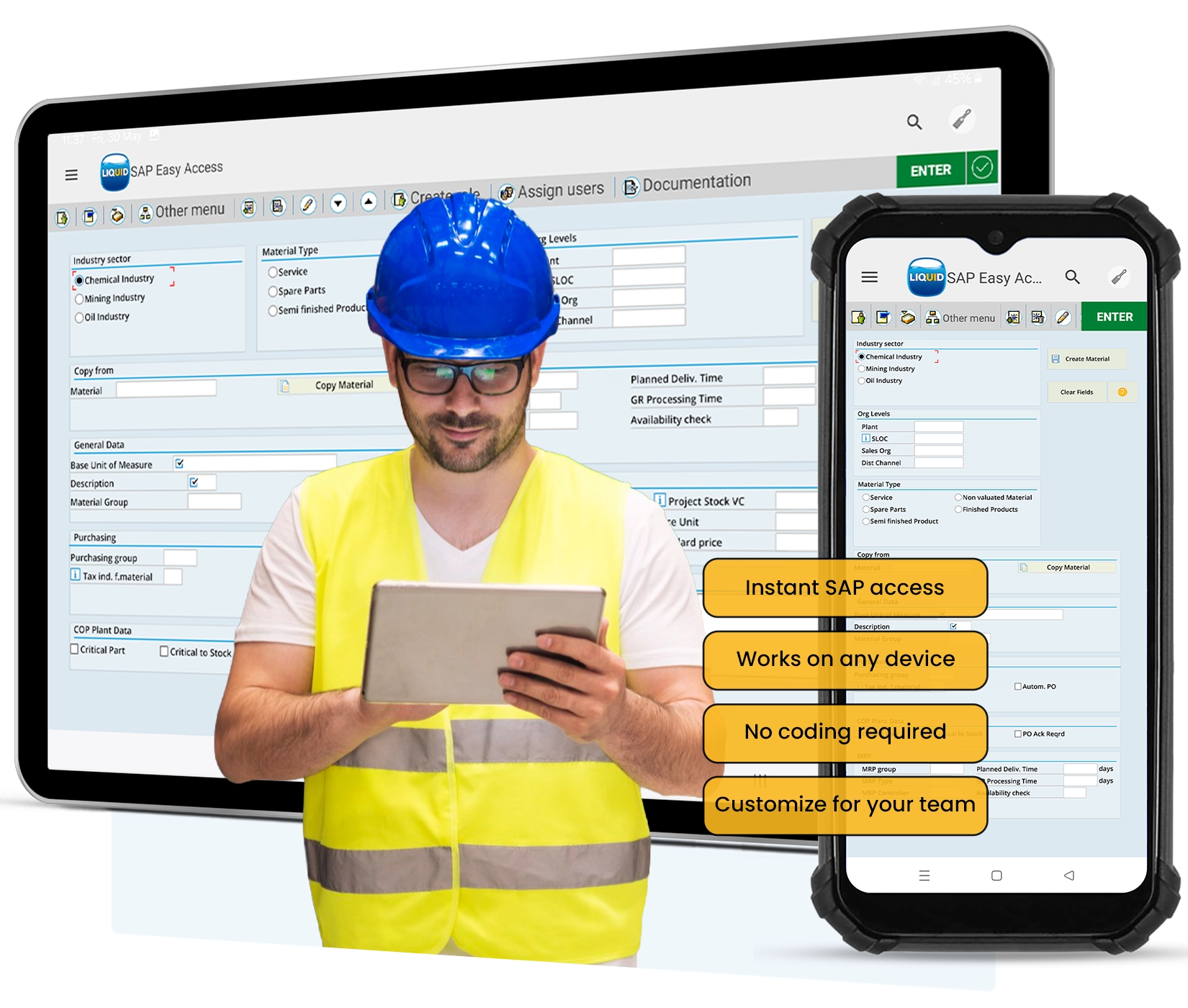
Your full SAP environment, on any device, in 30 seconds.
No development, no backend changes.
Then make it yours. Simplify screens for specific roles, add barcode scanning, voice input, and attachments exactly where your team needs them.

SAP Wasn't Built for Where Work Actually Happens
When workers can't access SAP where they work, they improvise. Paper logs. Spreadsheets. WhatsApp messages. Data that never makes it back into your system or makes it back hours later, manually re-entered, error-prone.
Native SAP mobile is complex to implement, expensive to maintain, and breaks every time a device updates its OS.
There's a simple solution.
Three Steps to Mobile SAP

Mobilize Instantly
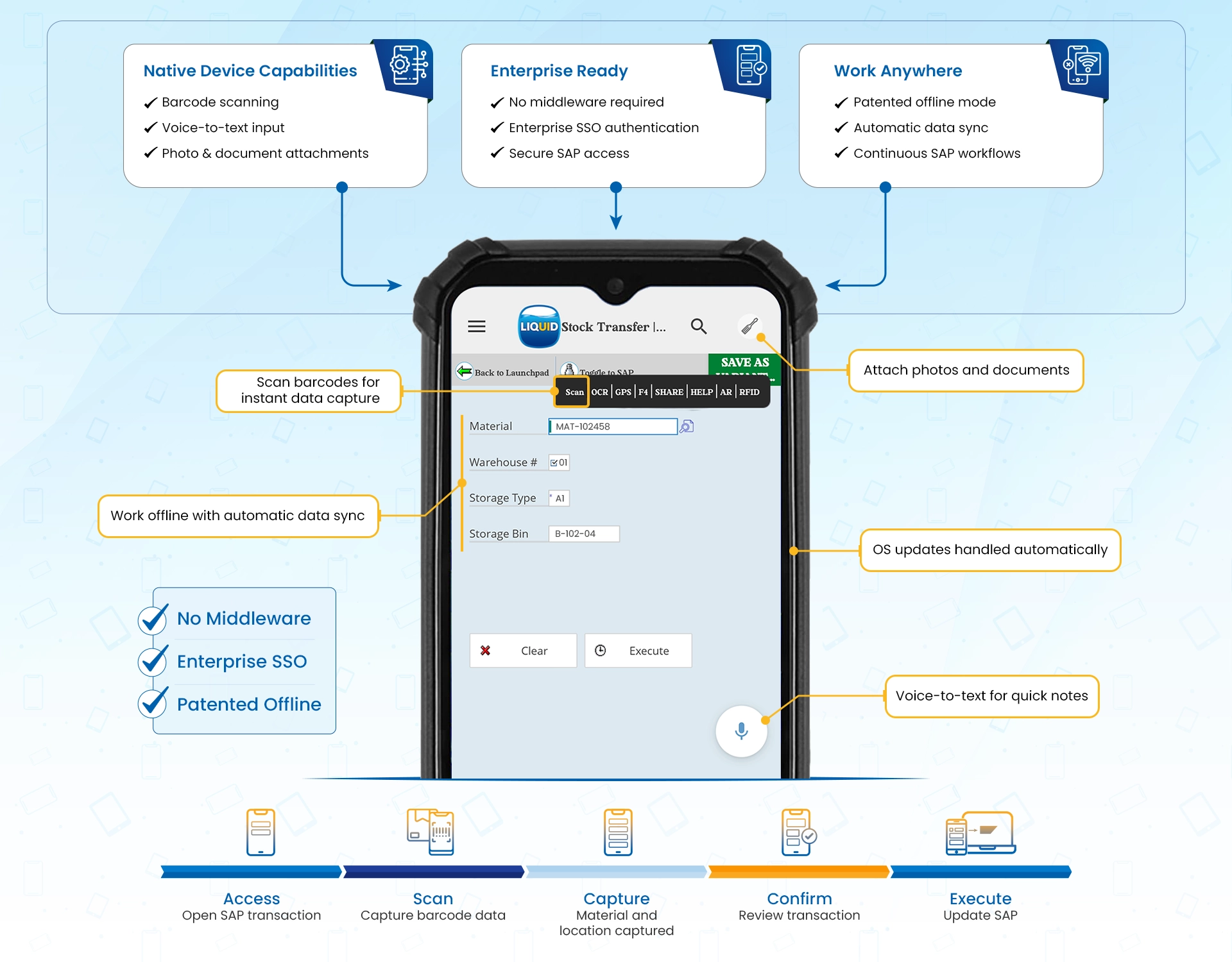
Your entire SAP environment on any device in 30 seconds. No development, no middleware, no backend changes.

Transform mobile SAP
Barcode scanning, voice input, attachments, camera are all available out of the box.
Design around your mobile workforce
Hide irrelevant fields, prefill fields and design mobile screens around your team's workflows.
The Liquid UI Difference
Mobile SAP In Your Industry

Manufacturing
Give floor workers real-time SAP access on handhelds without leaving the line.

Oil and Gas
Keep field teams connected to SAP in remote environments, online or offline.

Utilities
Field technicians complete work orders on-site, on any device, with or without signal.

Logistics
Scan, confirm, and update SAP in real time across warehouses and distribution centers.
How Tata Power Cut Collection Costs by 91%
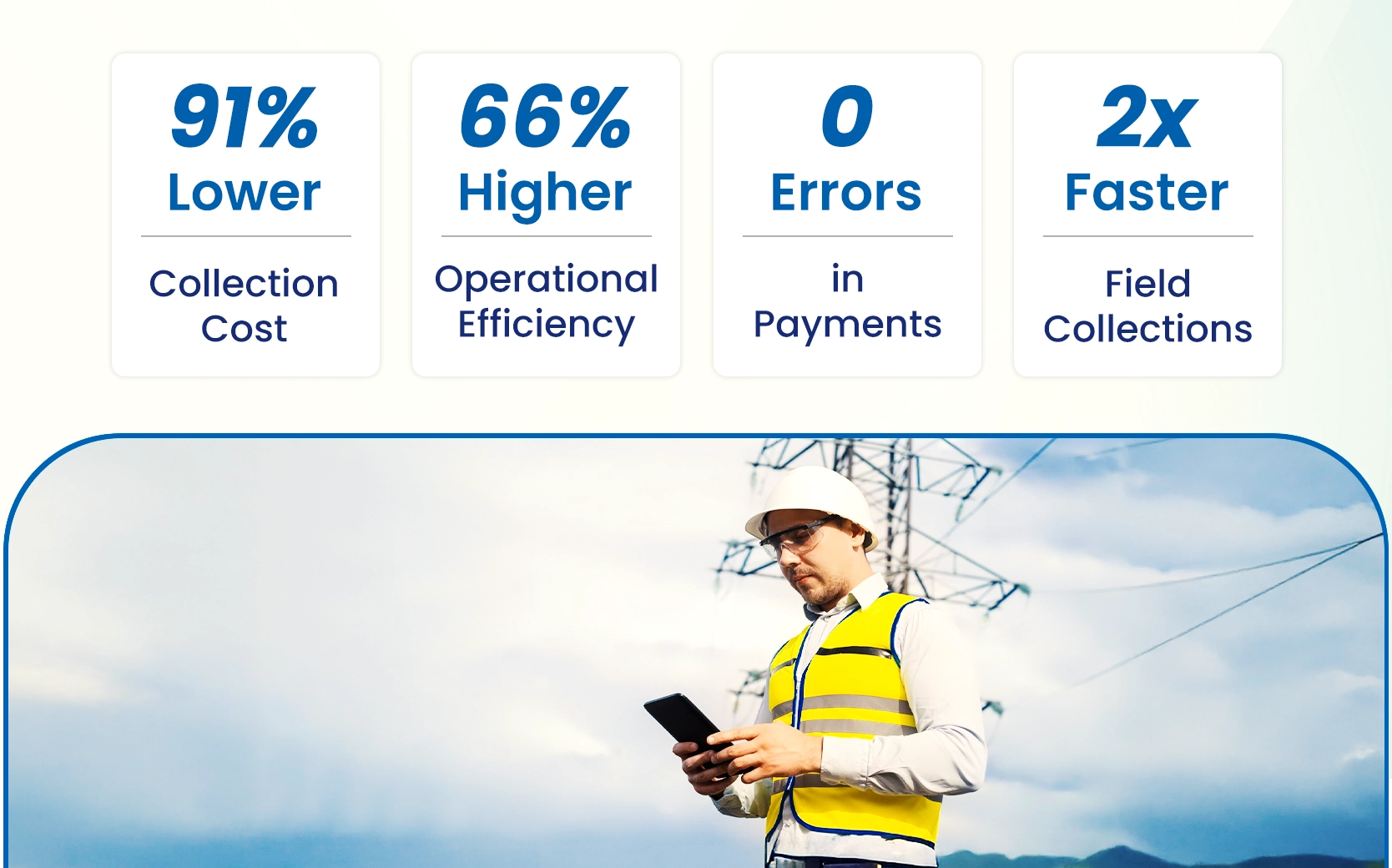
Field teams were collecting payments on paper, handwriting receipts, then manually re-entering everything into SAP. Every transaction touched twice.
Liquid UI put real-time SAP on Android — barcode scanning, Bluetooth printing, no manual re-entry.
- 91% reduction in collection cost
- 66% improvement in operational efficiency
- Zero payment complaints in 11 months
Deploy SAP mobile without adding complexity

No Middleware
Liquid UI connects directly to your SAP system using Native Channel Architecture. No SAP Mobile Platform, no Java stack, no REST gateway. Your existing SAP infrastructure works as-is. One less system to maintain, one less attack surface to protect.
Patented Offline Mode
Work orders, equipment records, and task lists are cached on-device in encrypted SQLite. Users work normally without connectivity. Sync data when signal returns.

Enterprise SSO
Kerberos, Active Directory, MYSAPSSO, and PKI certificate authentication are all supported natively. Users sign in once with their existing corporate credentials — no separate mobile passwords, no additional identity management overhead for IT to maintain.
Frequently Asked Question
How quickly can we go live?
Because Liquid UI doesn't touch your SAP backend, deployment is significantly faster than traditional mobile SAP projects. Just download the app and your SAP transactions are immediately available as native iOS and Android apps — no ABAP development, no backend configuration, no lengthy implementation cycle.
Does Liquid UI require changes to our SAP backend?
No. Liquid UI works entirely at the presentation layer . It reads and renders your existing SAP dynpros as mobile screens without modifying any backend logic, ABAP code, or data structures. Your SAP system stays exactly as it is. This also means there is no regression risk: a change to a mobile screen cannot break anything in SAP.
What versions of SAP are supported?
Liquid UI supports SAP R/3, ECC, and S/4HANA. Because it connects at the dynpro layer rather than through version-specific APIs, it works with your current SAP environment without requiring an upgrade.
What does licensing look like?
There are two base tiers, with an optional customization add-on for either:
Liquid UI Lite: Renders all of your SAP transactions as native mobile screens out of the box. No configuration required. Your entire SAP environment is immediately accessible on iOS and Android.
Industrial: Everything in Lite, plus full access to native device functionality like barcode scanning, camera, GPS, and other hardware features. Built for roles that work in warehouses, plants, and the field.
SAP screen consolidation, available for either tier. Uses Liquid UI WS to redesign SAP screens for specific roles — simplifying layouts, surfacing only relevant fields, and building workflows tailored to how each team actually works.
How does authentication work?
Liquid UI supports Kerberos, Active Directory, MYSAPSSO, and PKI certificate authentication natively. Users sign in once with their existing corporate credentials.
Get SAP on your device in 30 seconds
See it for yourself — no lengthy implementation, no backend changes, no risk.