Direct Connect to SAP with Liquid UI
Liquid UI connects to SAP natively over the DIAG protocol — no middleware, no RFC dependencies, no added failure points.
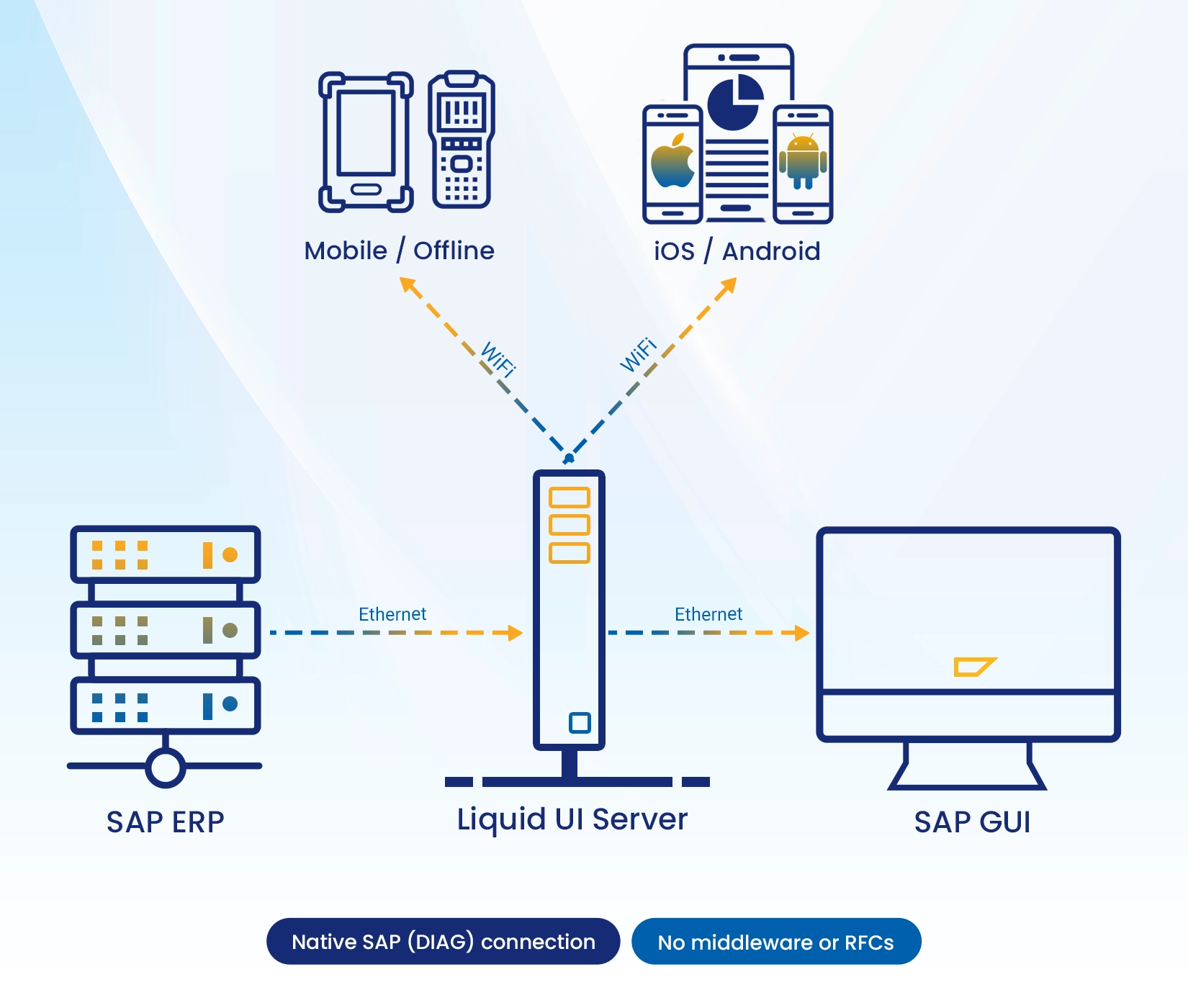
Liquid UI's Native Channel Architecture
Liquid UI communicates with SAP natively over the DIAG protocol — the same low-level channel SAP GUI uses — with no middleware layer in between. This eliminates the performance overhead, added complexity, and expanded attack surface that proxy-based or RFC-dependent integrations introduce.
The result is a leaner deployment footprint, a reduced set of failure points to monitor and maintain, and faster time-to-value for IT teams managing SAP environments at scale.
Liquid UI Direct Connection to SAP
Liquid UI Server: Optimization at the Protocol Layer
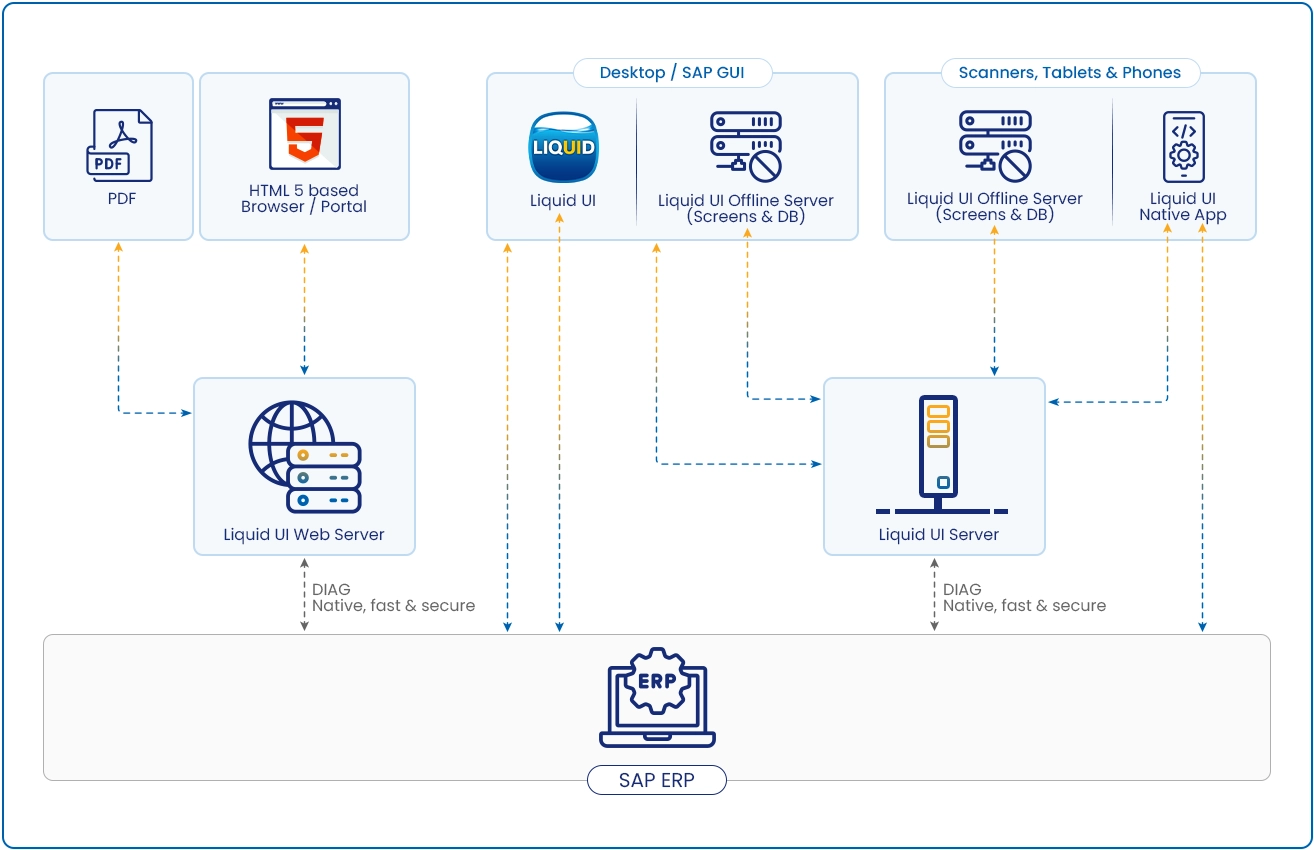
Liquid UI Server is a patented component that sits between your SAP system and any client device — SAP GUI, Liquid UI GUI, iOS, Android, or web. It doesn't just route traffic; it optimizes it.
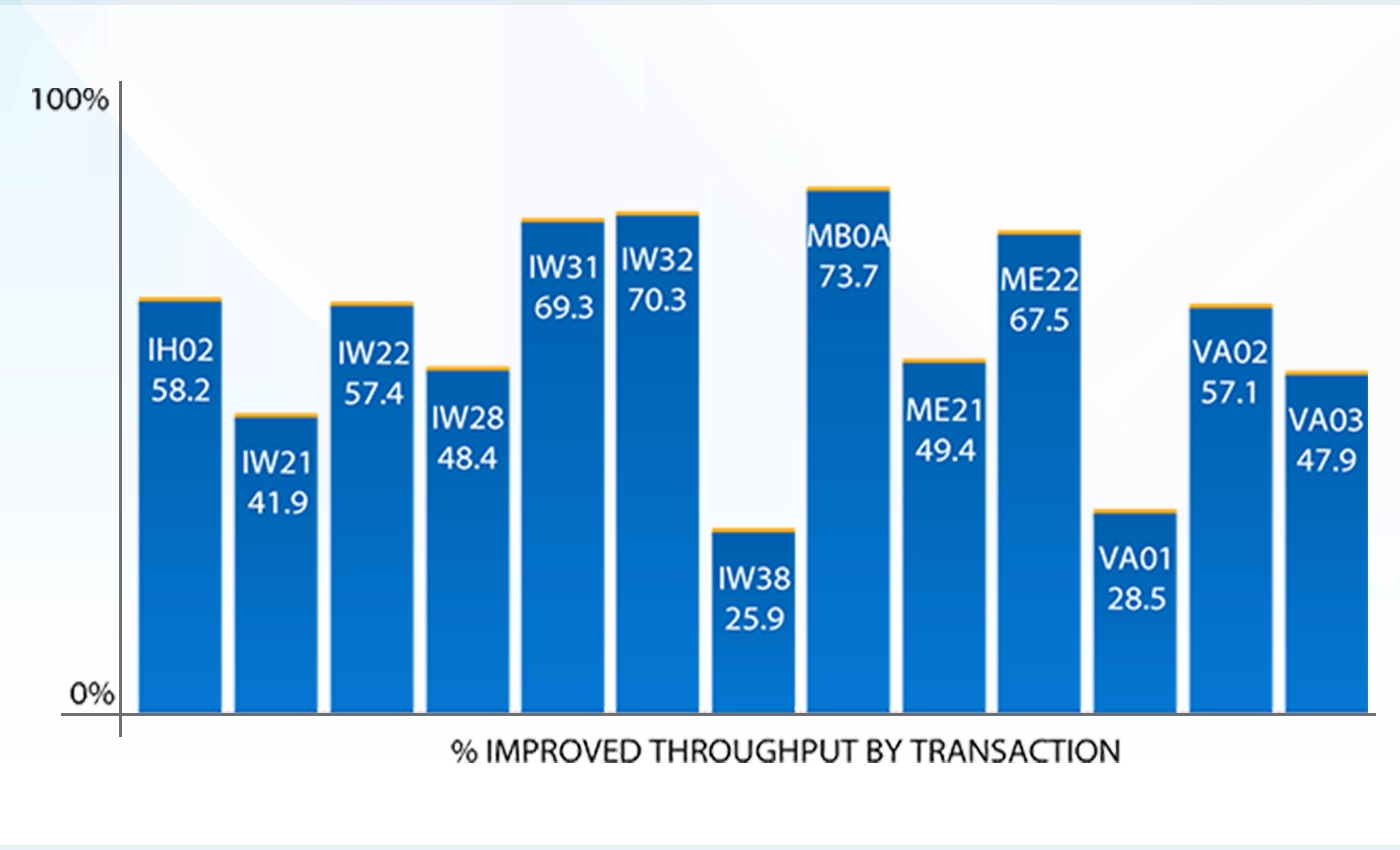
At the core is DYNPRO consolidation. SAP's native channel architecture sends screens as discrete round-trips — Liquid UI Server intercepts and consolidates those transactions before they reach the client, reducing the data and interactions required to complete a given workflow. The result is measurable throughput improvement across standard SAP transactions without any changes to your SAP system.
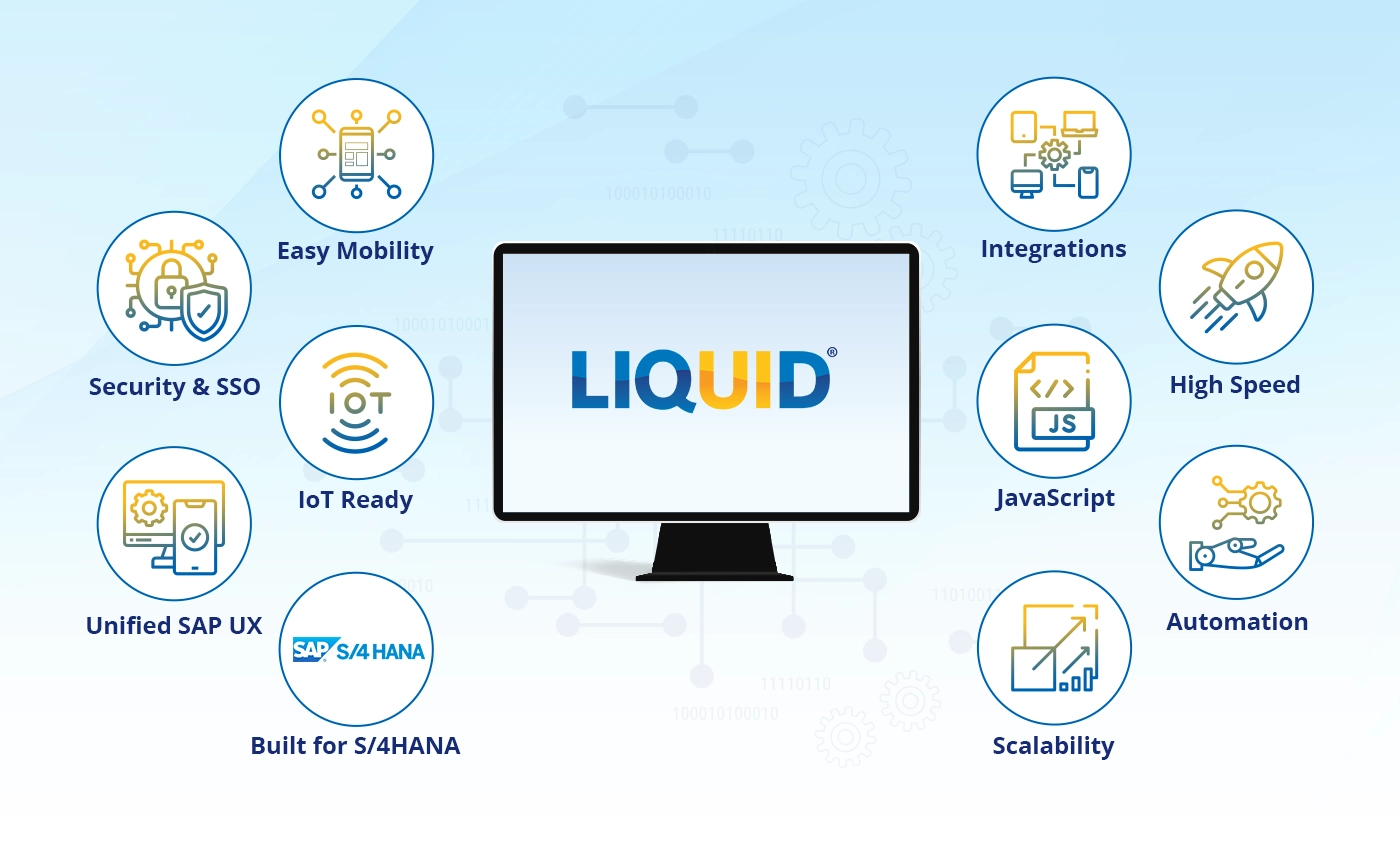
One Platform Across Every Access Point
Most SAP landscapes accumulate layers over time — desktop clients, web portals, mobile apps, warehouse scanners — each running on its own infrastructure, update cycle, and security review. The complexity is incremental and adds up.
Liquid UI consolidates SAP access across every channel under a single customization engine:
- iOS & Android — Native apps with offline capability
- Web (HTML5) — Browser-based SAP access, no client install required
- Desktop SAP GUI — Enhanced with the same customization engine
Three Problems Enterprise IT Solves with Liquid UI

Shrink Your Attack Surface
Every middleware layer is a potential breach point. Liquid UI reduces your SAP integration footprint to a single, hardened connection channel. TLS 1.3 encryption, SAPCRYPTO support, mutual certificate authentication, and Kerberos/AD integration — all through one governed platform.

Ship UI Changes in Days
Traditional SAP UI projects take 6–18 months. Liquid UI customizations are JavaScript scripts deployed from a central server so changes go live across all devices immediately.
No app updates, no ABAP transports, no change windows. Your IT team delivers process improvements at the speed your business demands.
Protect Your SAP Investment
Liquid UI runs on SAP's native DIAG protocol, the same channel as SAP GUI. That means every T-code, Z-program, user exit, and custom ABAP you've built becomes instantly deployable across iOS, Android, web, and desktop — without modification.
Your existing SAP investment runs everywhere. ECC 6.0 or S/4HANA, the same scripts span your entire landscape.
Frequently Asked Questions
Does Liquid UI work on S/4HANA?
Liquid UI supports the full SAP landscape — from R/3 through S/4HANA.
Do we need to modify our SAP system to install Liquid UI?
No. Liquid UI Server installs alongside your existing SAP environment — it doesn't require changes to your SAP system, your ABAP code, or your basis configuration. Your SAP system stays exactly as it is.
How is Liquid UI different from Fiori?
They solve different problems. SAP Fiori offers a library of standardized apps that cover common SAP processes — if those standard apps fit your workflows out of the box, they're a reasonable choice. Liquid UI is for SAP landscapes that are customized: Z-programs, user exits, non-standard transactions, or processes that don't map cleanly to what Fiori's standard library covers. Liquid UI mobilizes and optimizes what you've already built in SAP without rewriting it. Many organizations run both: Fiori for standard processes where the apps fit, Liquid UI for the custom transaction landscape that can't be replaced.
What happens when Apple or Google releases a new iOS or Android version?
Nothing changes for your users. Liquid UI's scripts are decoupled from the mobile OS layer — when Apple or Google ships an update, Liquid UI handles the compatibility. Your screens and workflows continue running without any script changes on your end.
What happens when SAP releases an update — do our scripts break?
No. Because Liquid UI connects over SAP's native DIAG protocol and doesn't sit inside the SAP application layer, SAP updates don't affect your scripts. Your customizations are maintained independently of the SAP release cycle.
See Your SAP on Every Device
From R/3 to S/4HANA — no middleware, no rebuilds, no version fragmentation.