


In this article, you will learn how to request an SY9 license for Liquid UI for Android.
An SY9 license supports offline license installation and is generated for a specific device using its Synactive ID.

Note: SY9 licenses are not self-service. Synactive generates the license after you submit your Synactive ID.
Before you begin
- Make sure to update the Liquid UI for Android app to the latest version.
- SY9 licensing is supported from version v4.0.4.7 and above.
Requesting an SY9 license
- Open the Liquid UI for Android app, go to the Main Menu, and tap About.
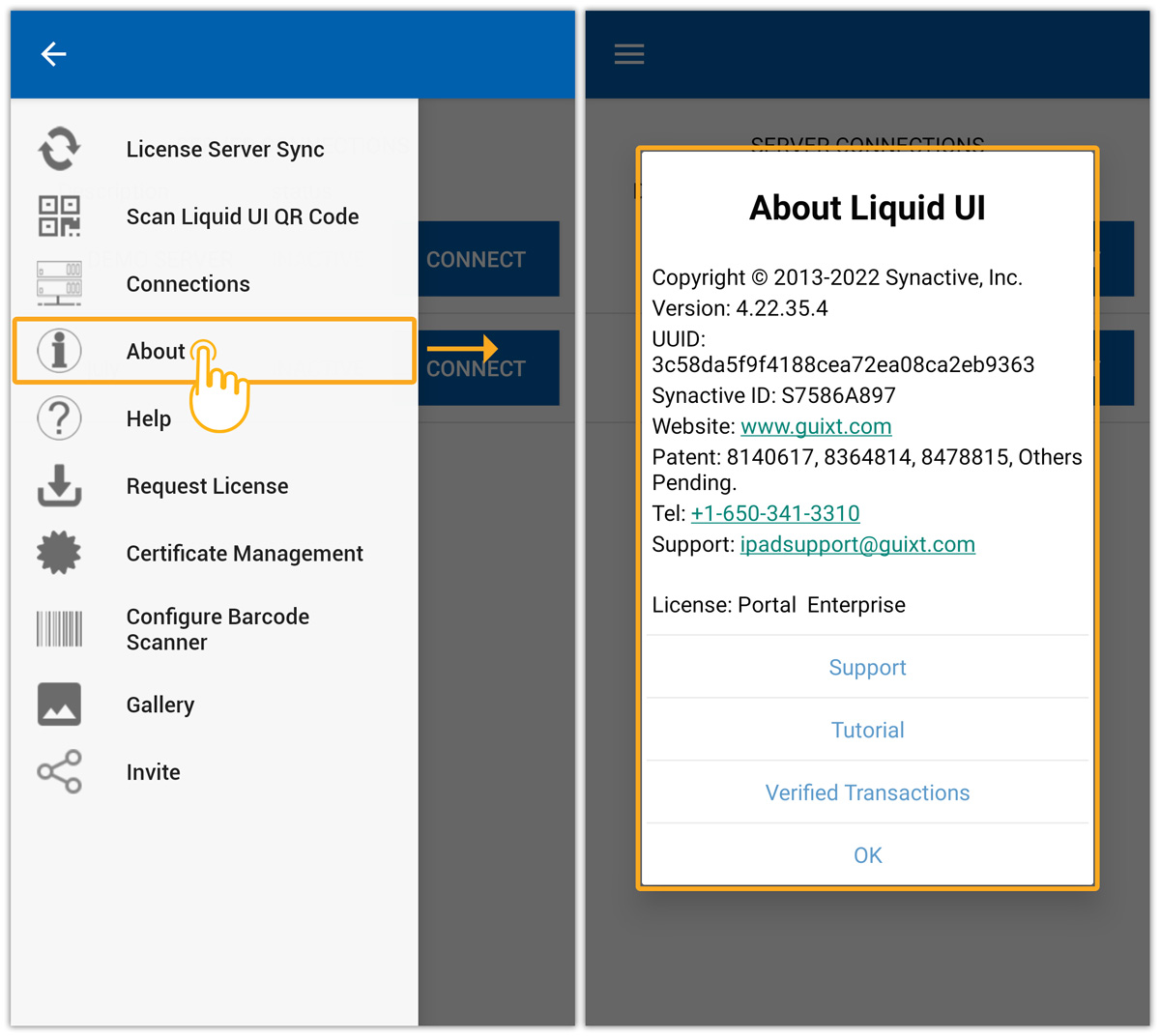
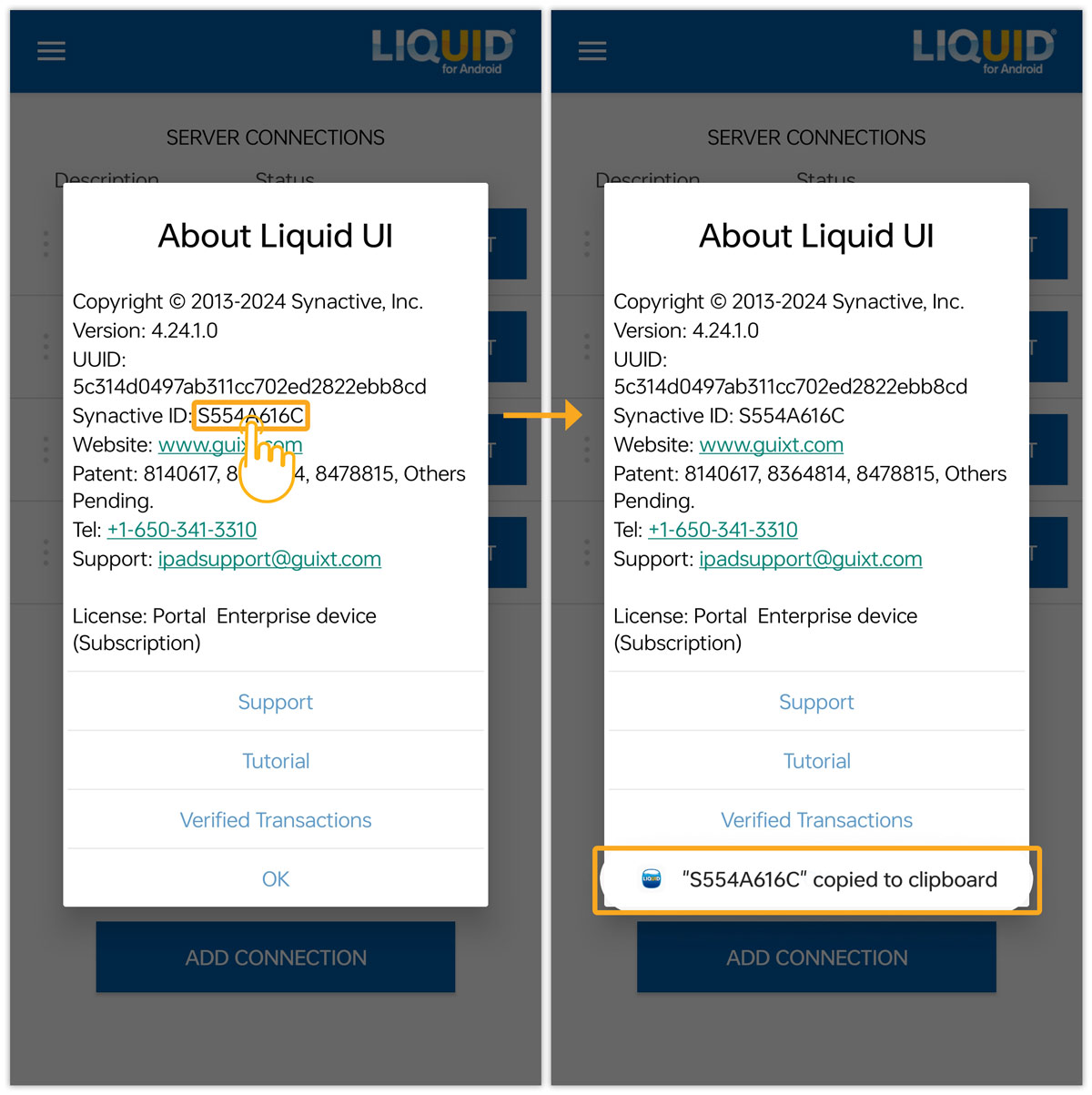
- Tapping the Synactive ID (S554A616C) copies the ID to your clipboard, as shown below:
- Send us an email with the Synactive ID at rfi@guixt.com or contact your AE. Our Licensing team will get in touch with you for further assistance with your license.