

Prerequisites
- Products: Liquid UI WS, Liquid UI Server, Client Software
- Commands: inputfield(), pushbutton(), set()
User Interface
//Create the file SAPLSMTR_NAVIGATION.E0100.sjs inside your scripts folder for customizing the SAP Easy Access screen
//Now, add the Liquid UI script to the above file, and save it.
Customization
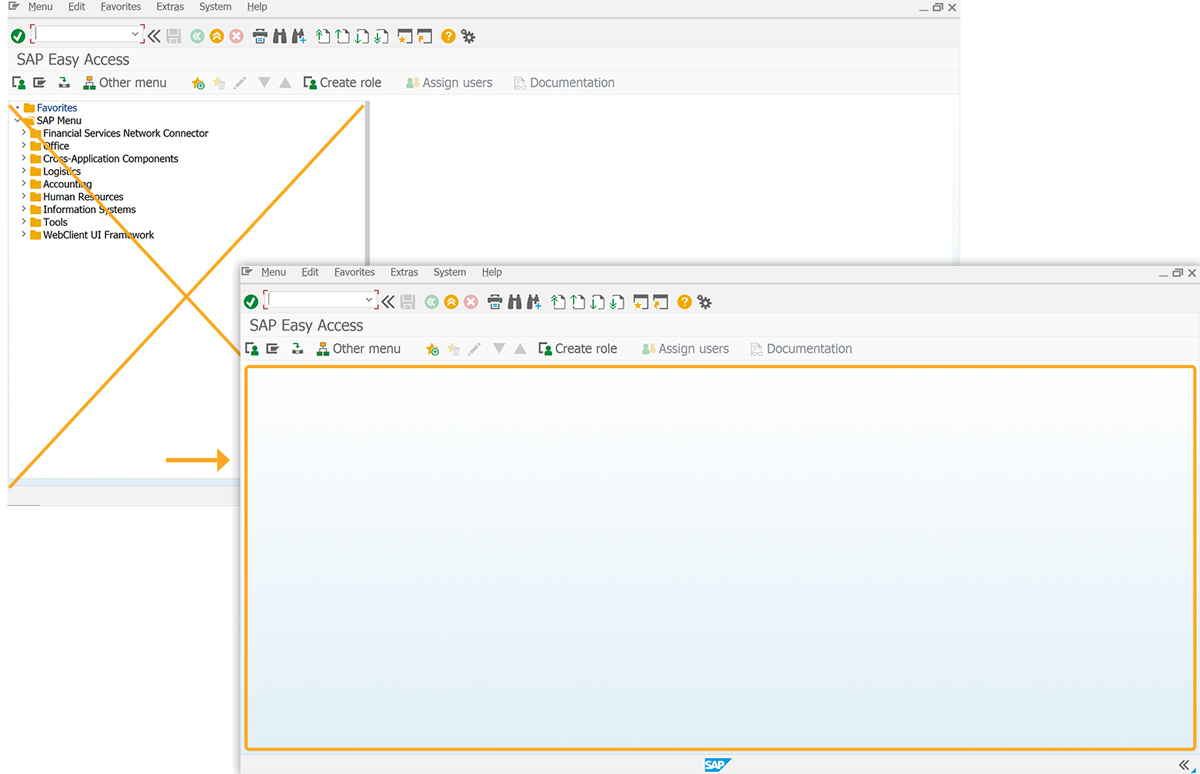
- Remove the image container from the SAP Easy Access screen with the del() function.
// Deletes the image container on the SAP screen
del("X[IMAGE_CONTAINER]");
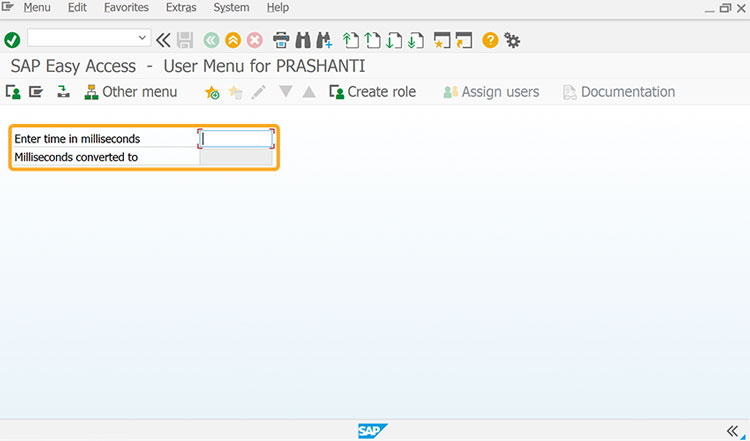
- Add input fields labeled Enter time in milliseconds and Milliseconds converted to for value entry and display.
// Creates an input field to enter the time in milliseconds
inputfield([1,0], "Enter time in milliseconds", [1,28], {"size":10, "name":"z_milliseconds"});
// Creates an input field to display the value
inputfield([2,0], "Milliseconds converted to ", [2,28], {"size":10, "name":"z_converted_ms", "readonly":true});
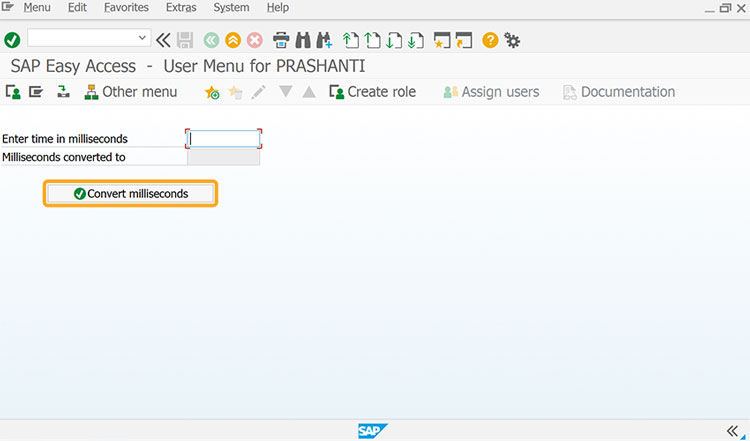
- Add a push button labeled Convert milliseconds to execute the convertmilliseconds process on click.
// Creates a push button to execute the process
pushbutton([4,7],"@01@Convert milliseconds", "?", {"process":convertMilliseconds});
- Add timeConversion function to convert milliseconds to seconds/minutes/hours/days based on input.
// Function to convert milliseconds to Days/Hours/Minutes/Seconds depending on the milliseconds value
function timeConversion(millisec) {
    var seconds = (millisec / 1000).toFixed(2);
    var minutes = (millisec / (1000 * 60)).toFixed(2);
    var hours = (millisec / (1000 * 60 * 60)).toFixed(2);
    var days = (millisec / (1000 * 60 * 60 * 24)).toFixed(2);

    if (seconds < 60) {
        return seconds + " Sec";
    } else if (minutes < 60) {
        return minutes + " Min";
    } else if (hours < 24) {
        return hours + " Hrs";
    } else {
        return days + " Days"
    }
}

 function convertMilliseconds(){
    var res = timeConversion(z_milliseconds);
    set('V[z_converted_ms]','&V[res]');
    return;
}
SAP Process
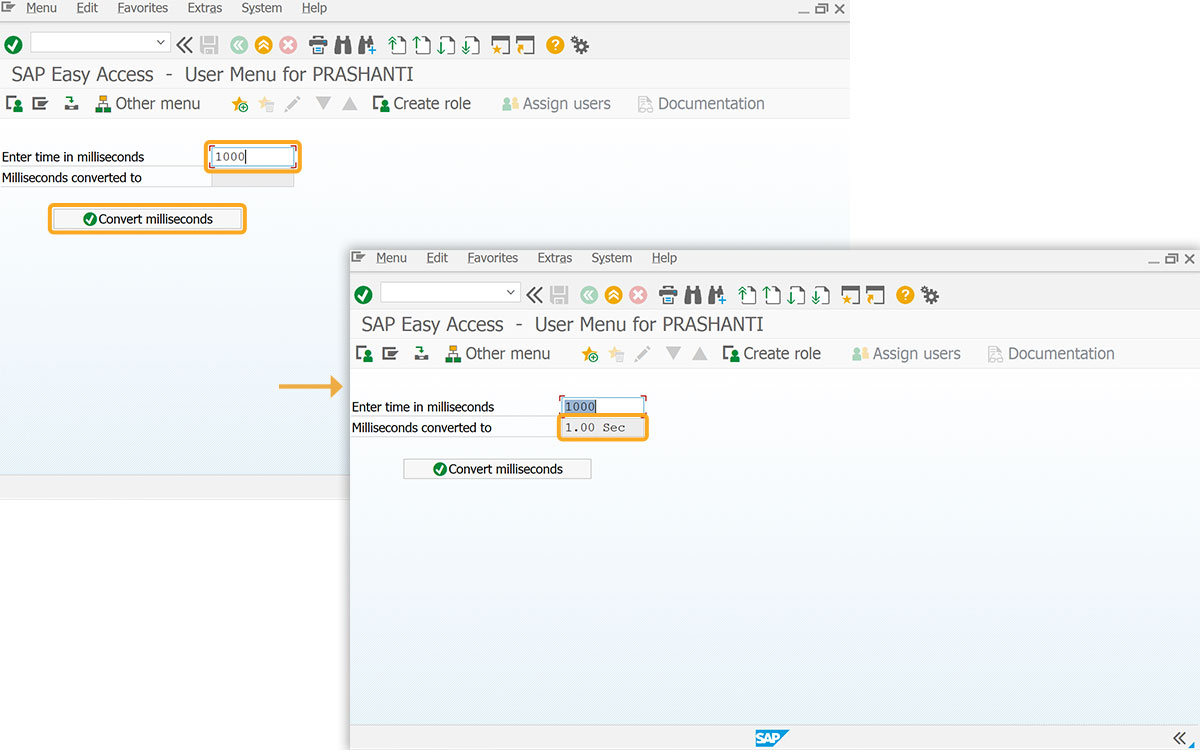
Milliseconds to seconds conversion: Values under 60,000 milliseconds display in seconds.
- Enter a millisecond value in the Enter time in milliseconds field, then click Convert milliseconds to view the converted seconds.
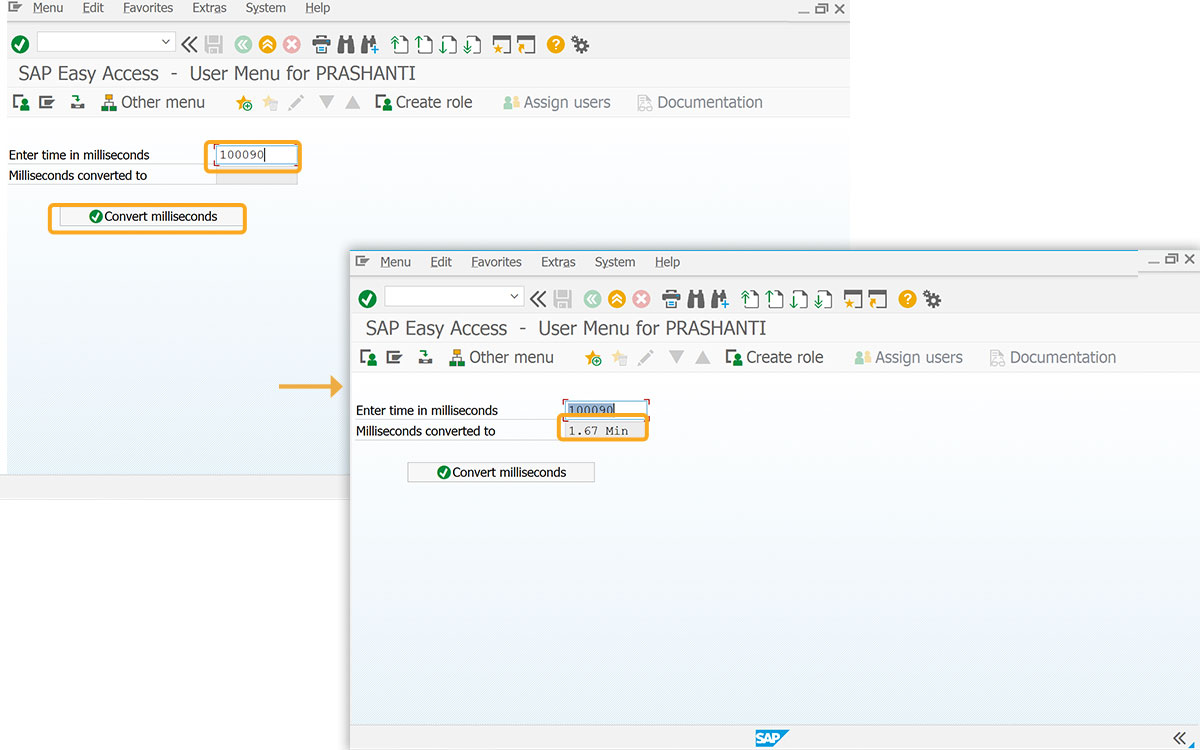
Converting Milliseconds to Minutes:
If the user's input is between 60,000 and 3,600,000 milliseconds, the system will display the value in minutes.
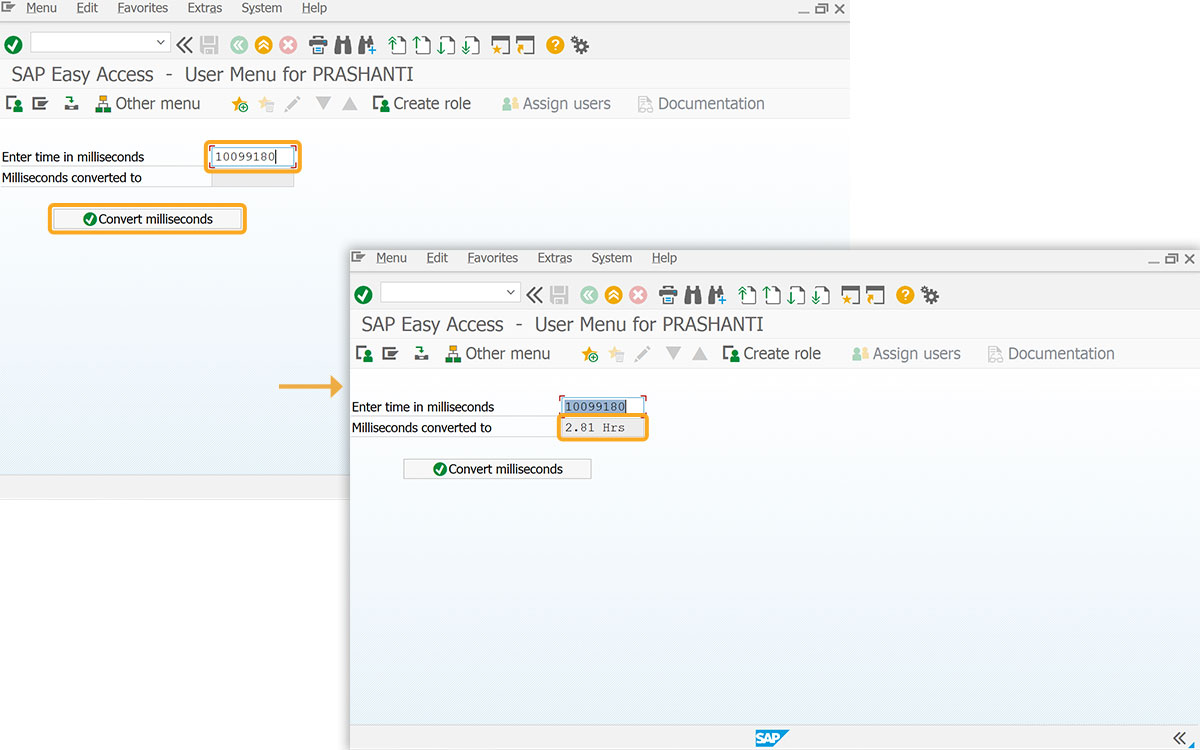
Converting Milliseconds to Hours:
For values between 3,600,000 and 86,400,000 milliseconds (1 to 24 hours), the result displays in hours.
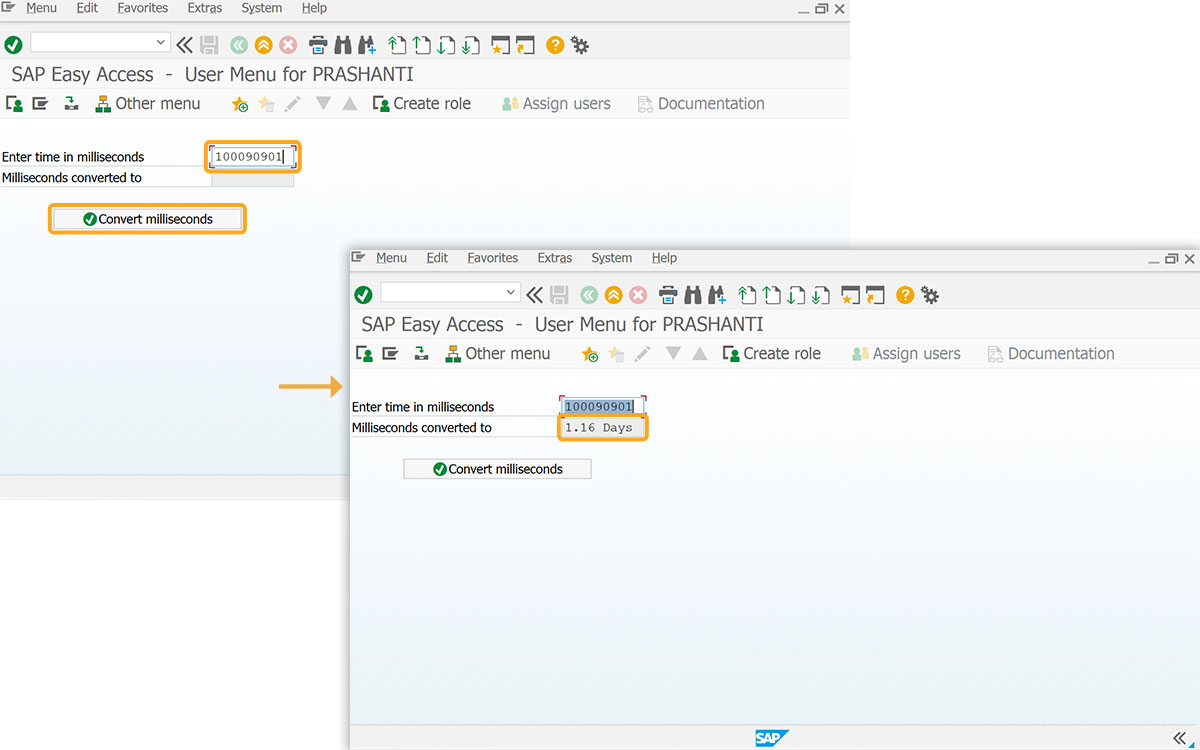
Converting Milliseconds to Days:
If the input value surpasses 86,400,000 milliseconds, it will be presented in days.