


Liquid UI for Android supports context menus on the toolbar, similar to the SAP GUI. By right-clicking on toolbar controls, users can access standard SAP context menus. These menus allow quick access to functions such as Select, Copy, Cut, and Paste, or other actions relevant to the current transaction screen.
In the walkthrough below, we use transaction CJ20N (Project Builder) as an example to demonstrate the functionality. The same approach can be applied to any SAP transaction that offers toolbar options.
- Open a transaction with a toolbar (here, CJ20N). Click the Create icon to display the context menu and its available options (e.g., Project, Network, Copy project, Copy network).
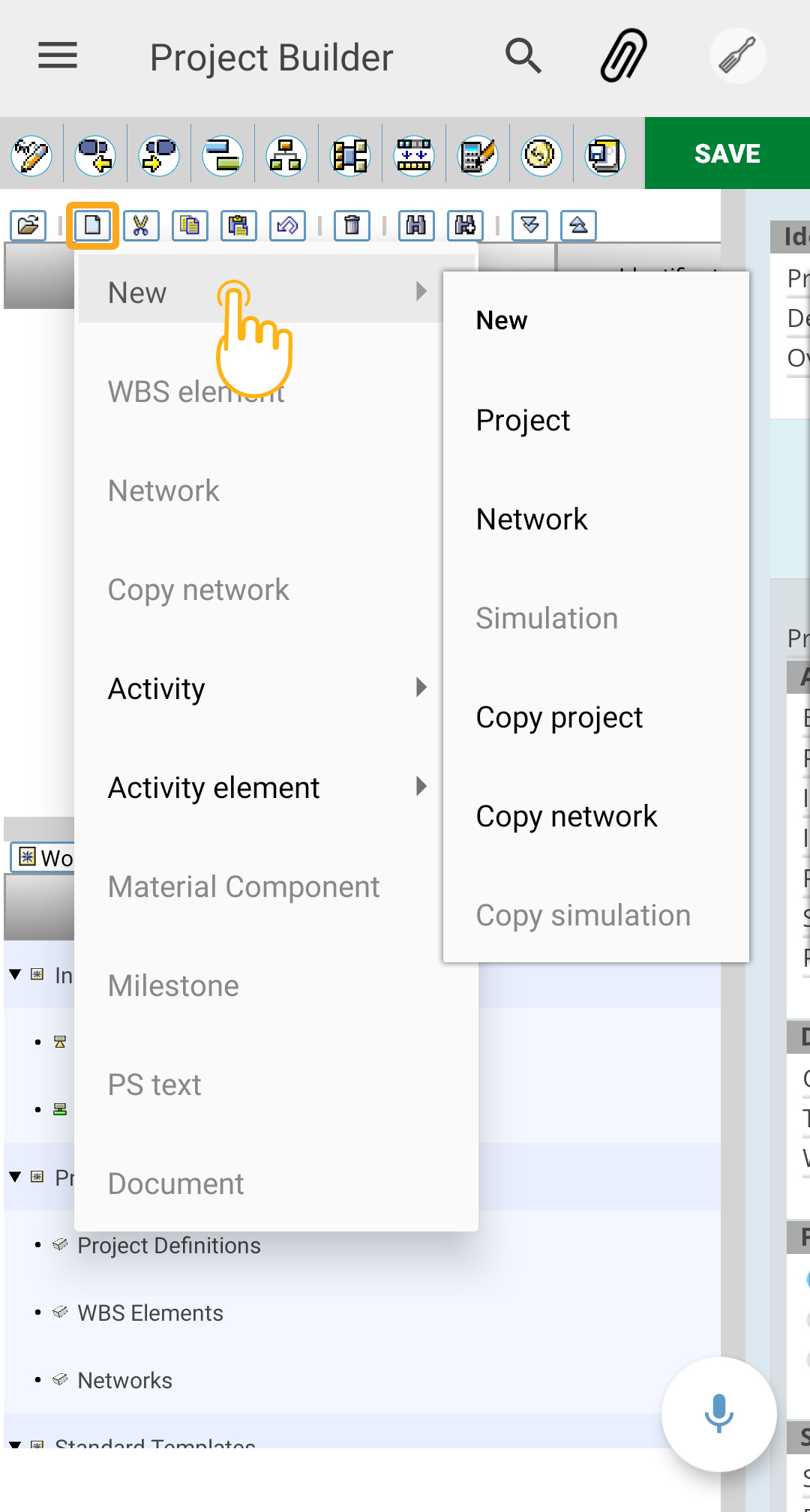
- To start a new project, choose New → Project.

- To start a new network, choose New → Network.
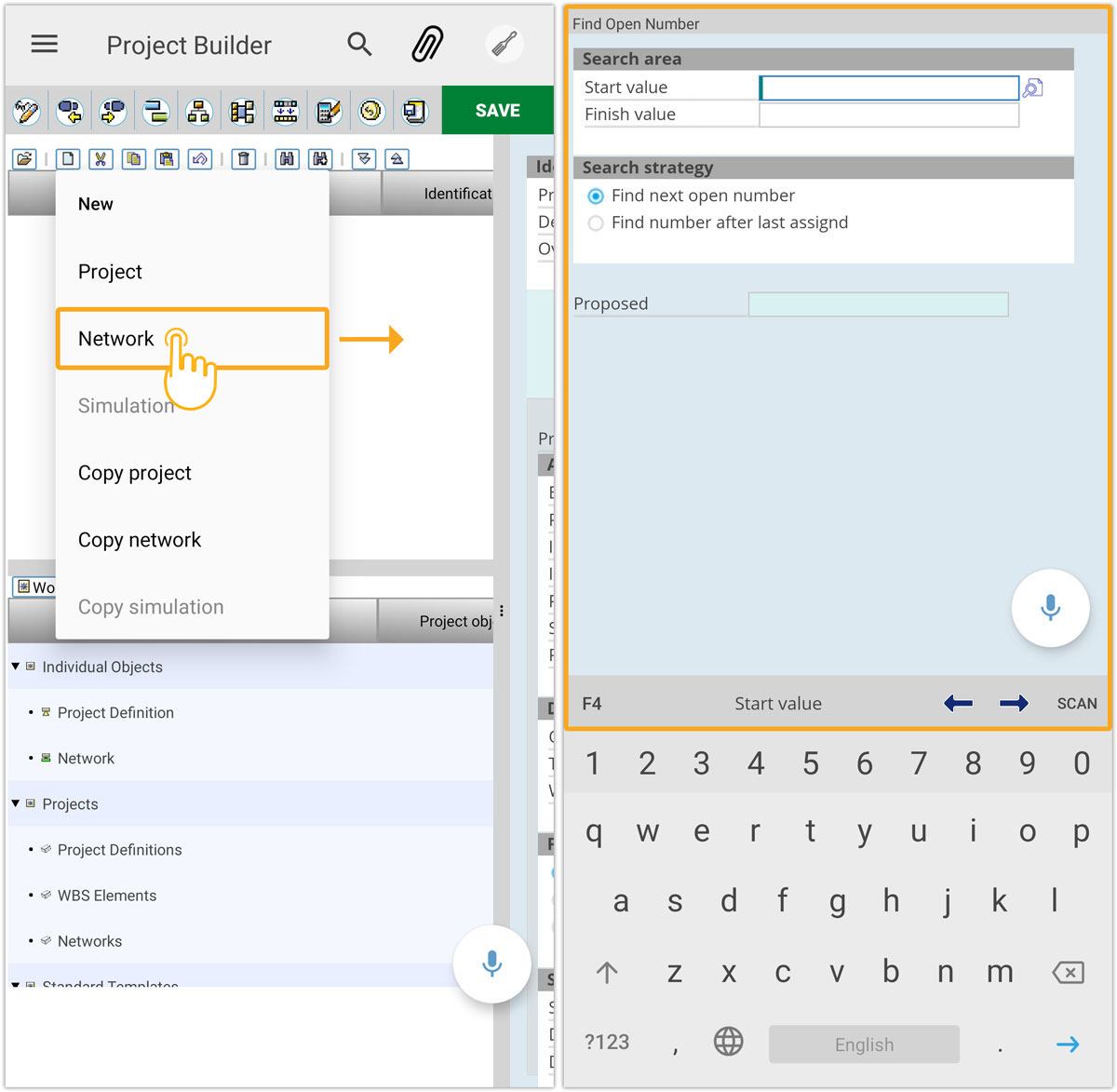
- To execute other actions, select the relevant option (e.g., Copy Project or Copy Network). The chosen command is then carried out directly through the context menu.
This approach improves usability and reduces the number of clicks required to perform common actions.