


Purpose
Using the boxsize() you can resize a native SAP box element. It allows you to accommodate more elements within a box or remove elements from a box, helping you organize screen elements and the screen layout.

Note: The command applies only to native SAP box elements, not to Liquid UI box elements.
Syntax
boxsize("G[Label name]",[startrow,startcol]);
Properties
- Label name - Visible name of the box.
- startrow, startcol - Starting co-ordinates of the box
Options
The boxsize command does not take any options.
Example
In this example, boxsize() resizes the box in the MB1C transaction after deleting the Reason for Movement and Special Stock fields.
// Resizes the groupbox
boxsize("G[Defaults for Document Items]",[6,42]);
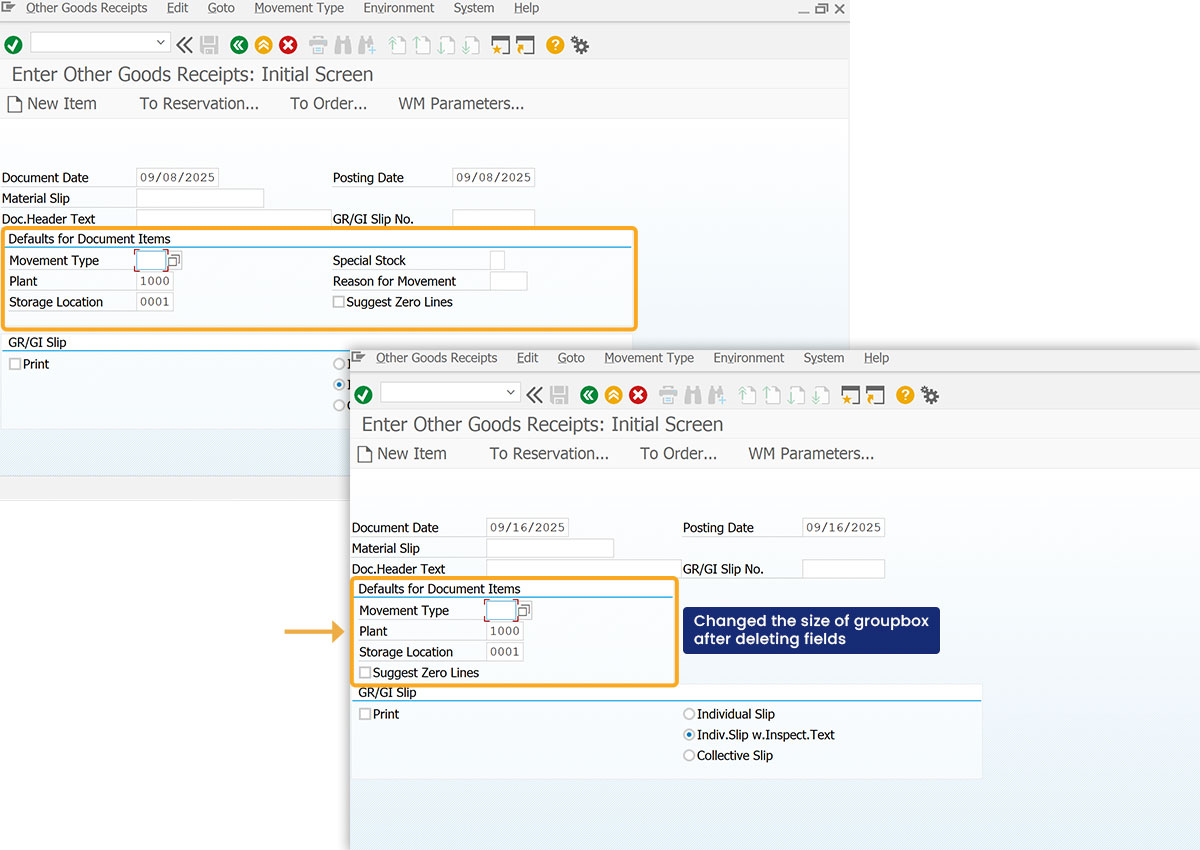
Click here for details on how to change the groupbox size.