


When Workbench generates an Excel spreadsheet, it automatically includes sample data based on the values entered during the transaction recording. An example is shown below:
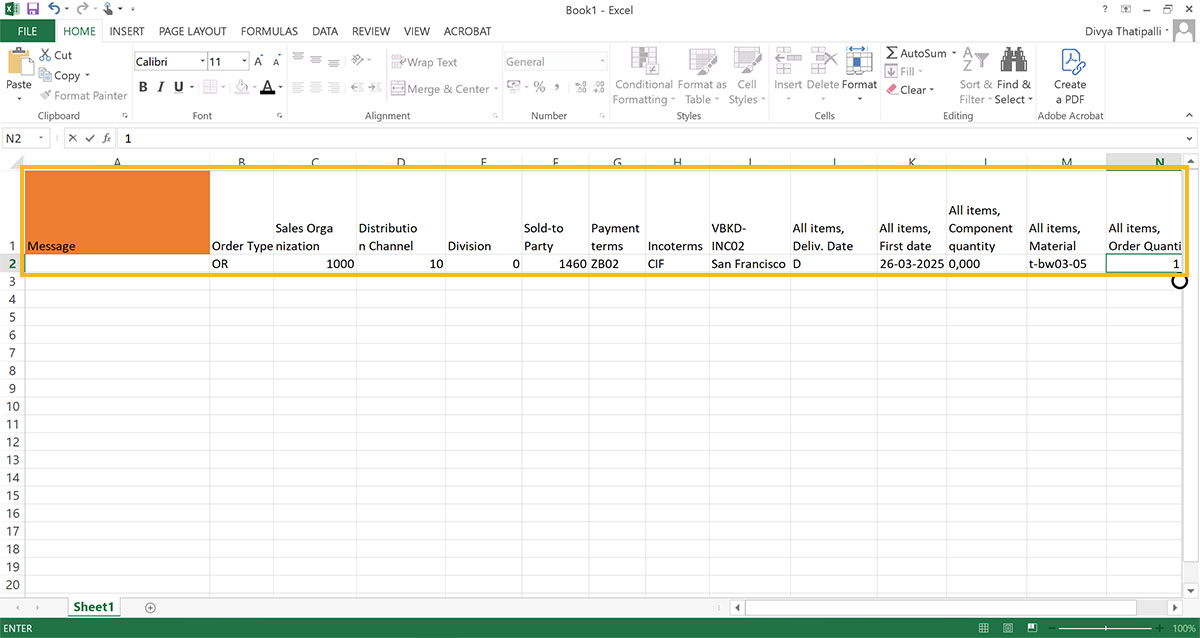
This sample data is explained as follows:
- Each field where data was entered during the recording appears as a column in the Excel template.
- The first row of the sheet is populated with the exact values that were entered during the recording.
- If any values are numeric, they are stored as text. This will be noted in the spreadsheet.