Resizing popup windows
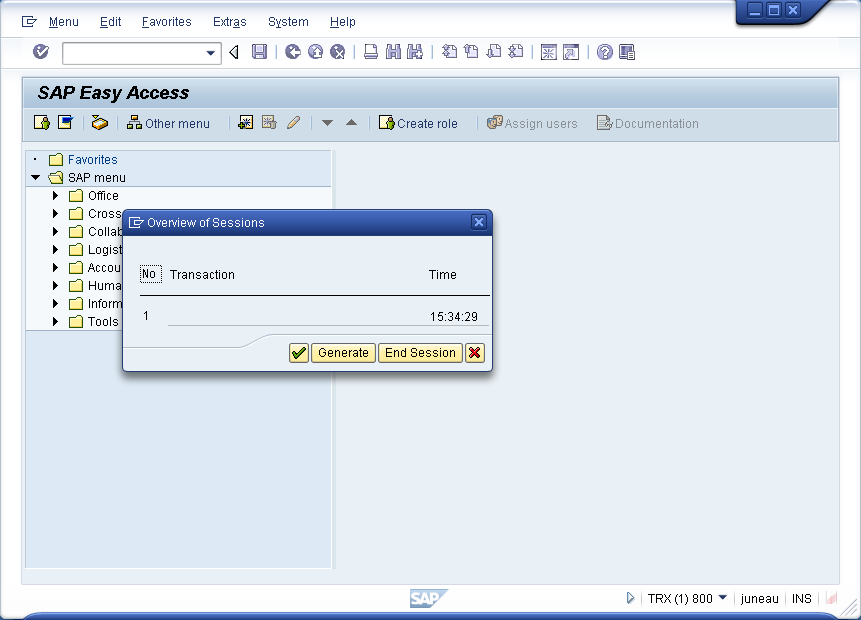
In the following example, we will move the window from the row 4, column 4 starting position.
Go to the Easy Access screen in SAP.
Type
/o
into the transaction field.
The following popup will appear.
Open the 'RSM04000_ALV.E2000.sjs ' script file, and enter the following code. Create the script file if it does not already exist.
windowsize([10,10,12,12]);
Save the changes and refresh the SAP screen. It will now display as shown below:
Parent topic:
windowsize