In the preceding example, we used the pushbuttons to navigate to a specific SAP transaction. However, pushbuttons can do far more than merely help users navigate to transactions. Pushbuttons can also be used to trigger a complete process which may involve multiple screens and data entry points. We will not cover cover advanced processes at this time, but we will demonstrate one here. The process will set the order type in VA01 to 'OR'.
-
Save your changes and refresh the SAP screen.
The VA01 screen now appears as follows:
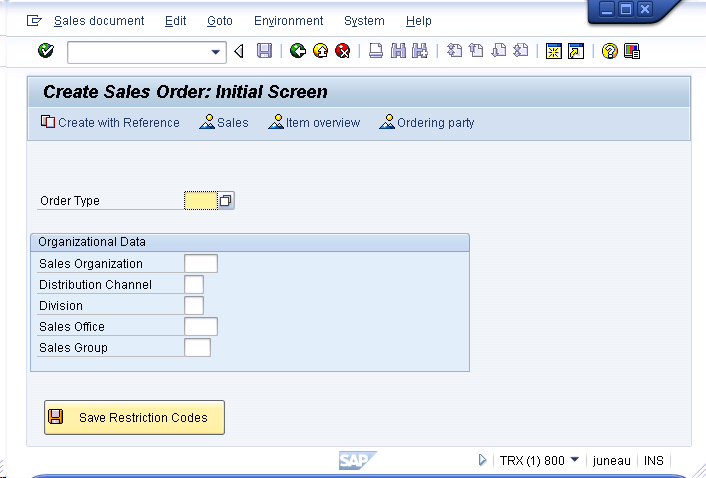
The VA01 screen now appears as follows:

We have created a new pushbutton and tied it to a function that sets the Order Type field to the value 'OR' each time the button is pressed. This action also sends an enter command, causing SAP to progress to the VA01 Overview screen after the order type is populated.