Executing a process

In the following example, we are going to use the onUIEvents command to trigger a process based on a user action. The transaction where the process will occur is specified using the 'fcode' option. Specifically, when a user presses the enter key, the user will be transported to the VA02 transaction and a function will execute.

  1. Open the Easy Access script file (SAPLSMTR_NAVIGATION.E0100.sjs) and enter the following code. Create the file if it does not already exist.
    onUIEvents['Enter']={"fcode":"/nva02","process":test_UIEvent};
    text([4,1],'This example includes the execution of UI action Enter. Hit Enter to execute process');
  2. Now add the function code that will execute when the VA02 transaction launches. An example function is shown below:
    function test_UIEvent(){
    	onscreen 'SAPMV45A.0102'
    		set("F[Order]" , "14200");
    	enter();
    	onscreen 'SAPMV45A.4001'
    	enter();
    }
  3. Save the changes.
  4. Launch SAP and navigate to the Easy Access transaction. The screen appears as follows:
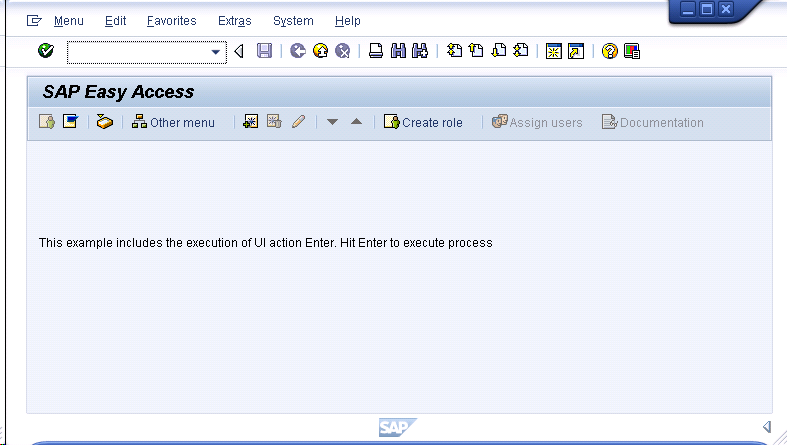

  5. Press the enter key to initiate the process from the Easy Access screen.

Once you press enter from the Easy Access screen, the process will execute. The VA02 screen will display as shown below: