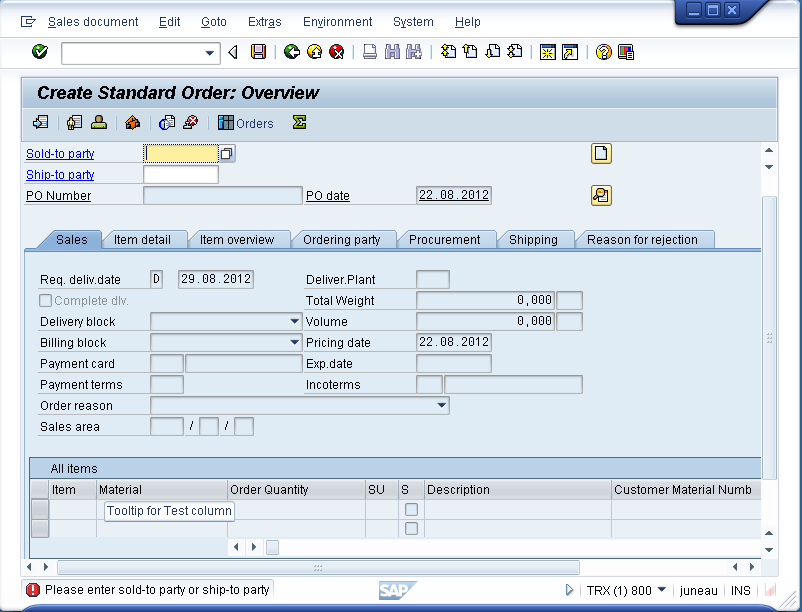
This option is used to insert a tooltip into a column header.
Navigate to the VA01 Overview screen in SAP and open the SAPMV45A.E4001.sjs script file. Create this file if it does not already exist. All additions will be made to this file.
The VA01 overview screen appears as follows:

-
Change the name of the 'Test Material' column back to 'Material'. The code is as follows:
columnheader("All items, Test material", "Material"); -
Add the following code to the 'Material' column:
columnheader("Material","@\\QTooltip for test column@Material"); -
The screen now appears as shown below. Hover the mouse over the column name and the tooltip will appear as ion the following example: